 ReelocalLocal businesses
 ReelshopShopify stores
 ReelstoryAnimated ads
 ReelsiteYou are here
 All Reelzign apps
Get Reelsite
All Reelzign apps
Get Reelsite
From the makers of Youzign and dezygn
Paste the link. Reelsite reads their old site and builds a new one in the owner's own words, with their real photos, so you can show them the before and after.
One payment · 500 credits · 30-day guarantee
Made with Reelsite
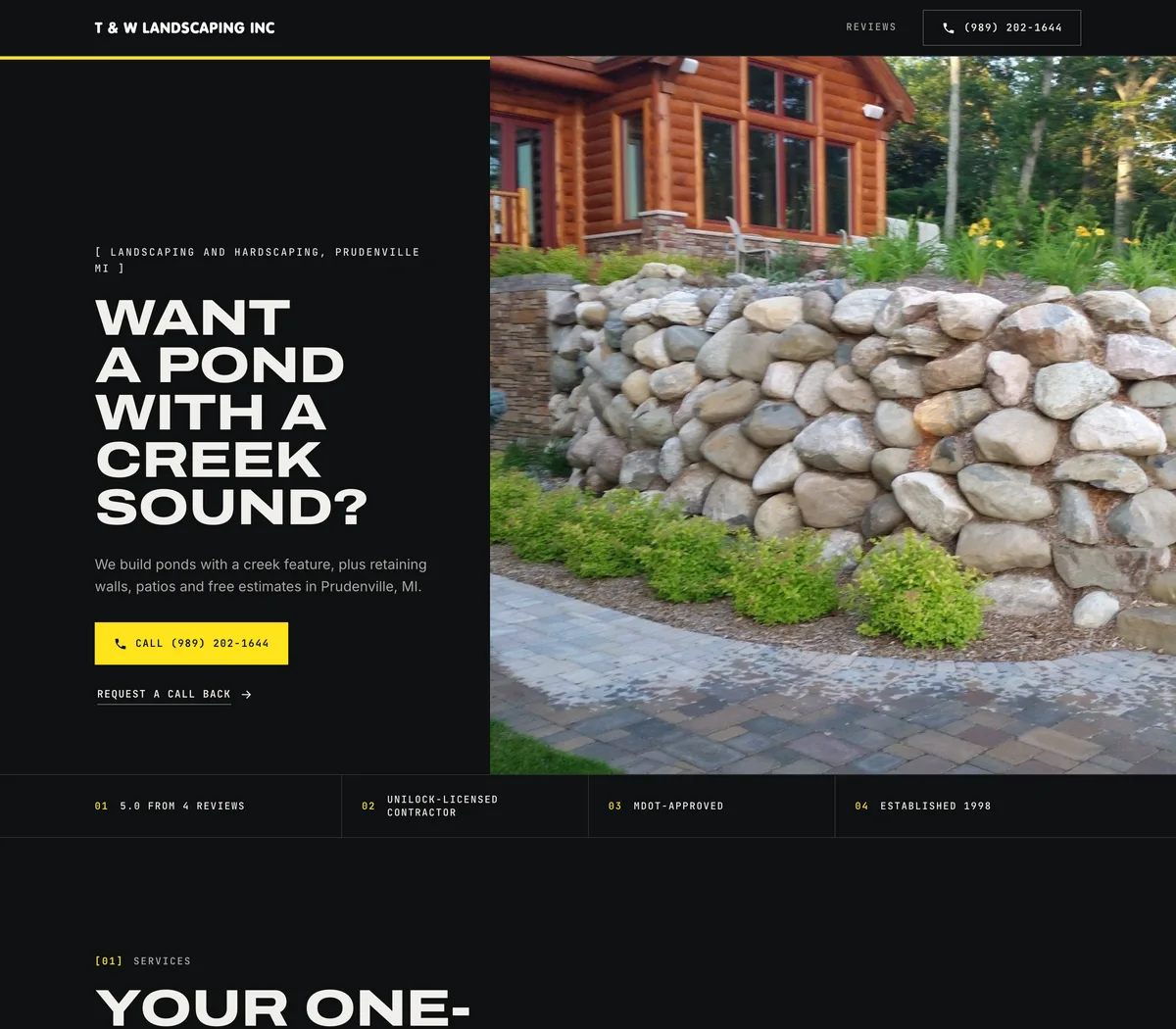
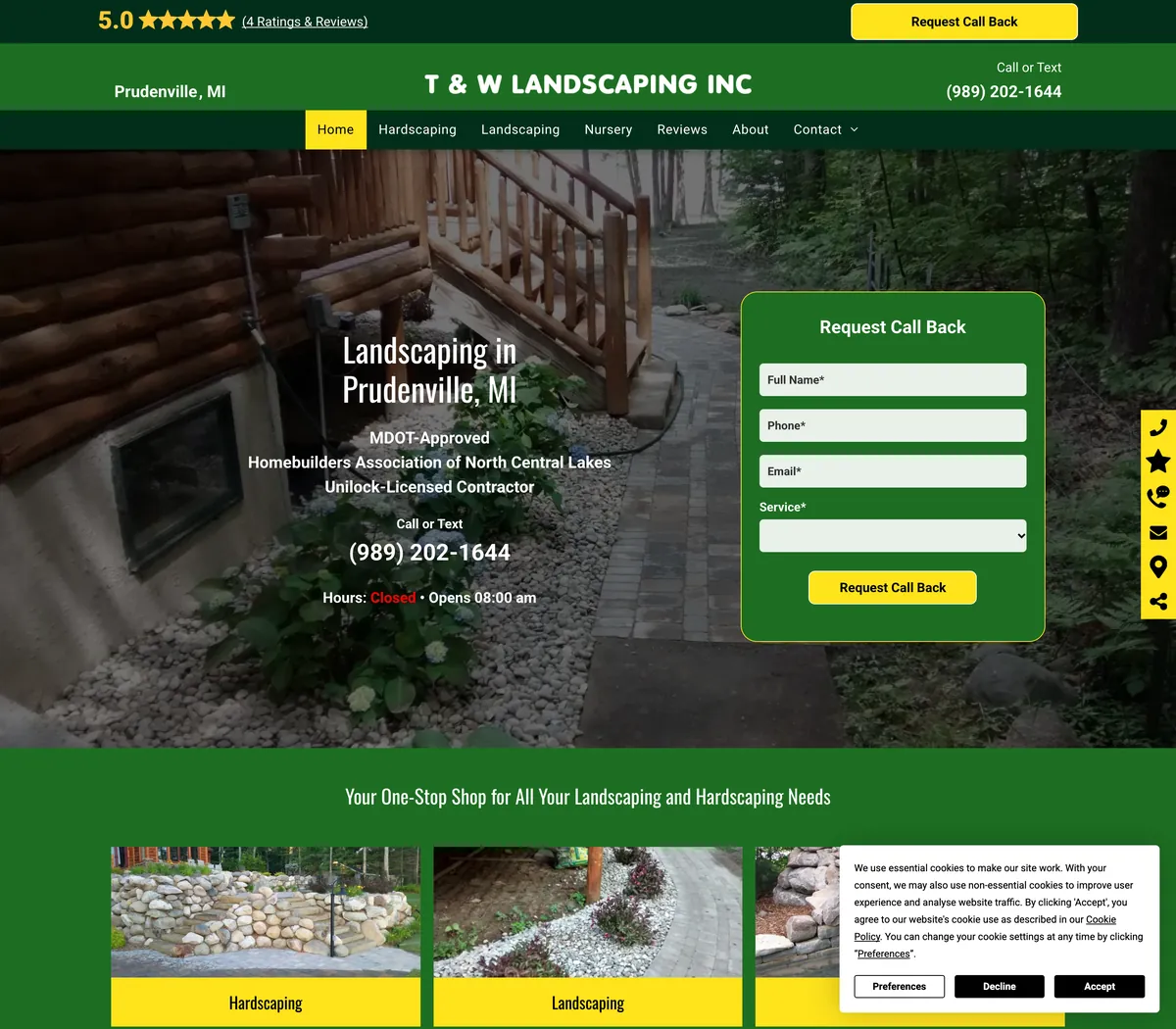
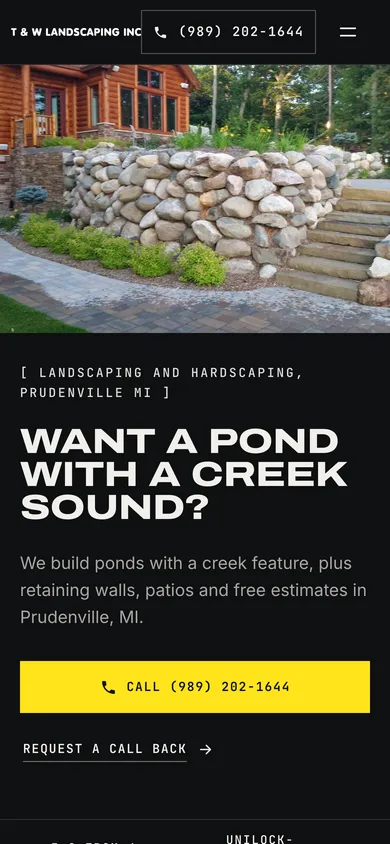
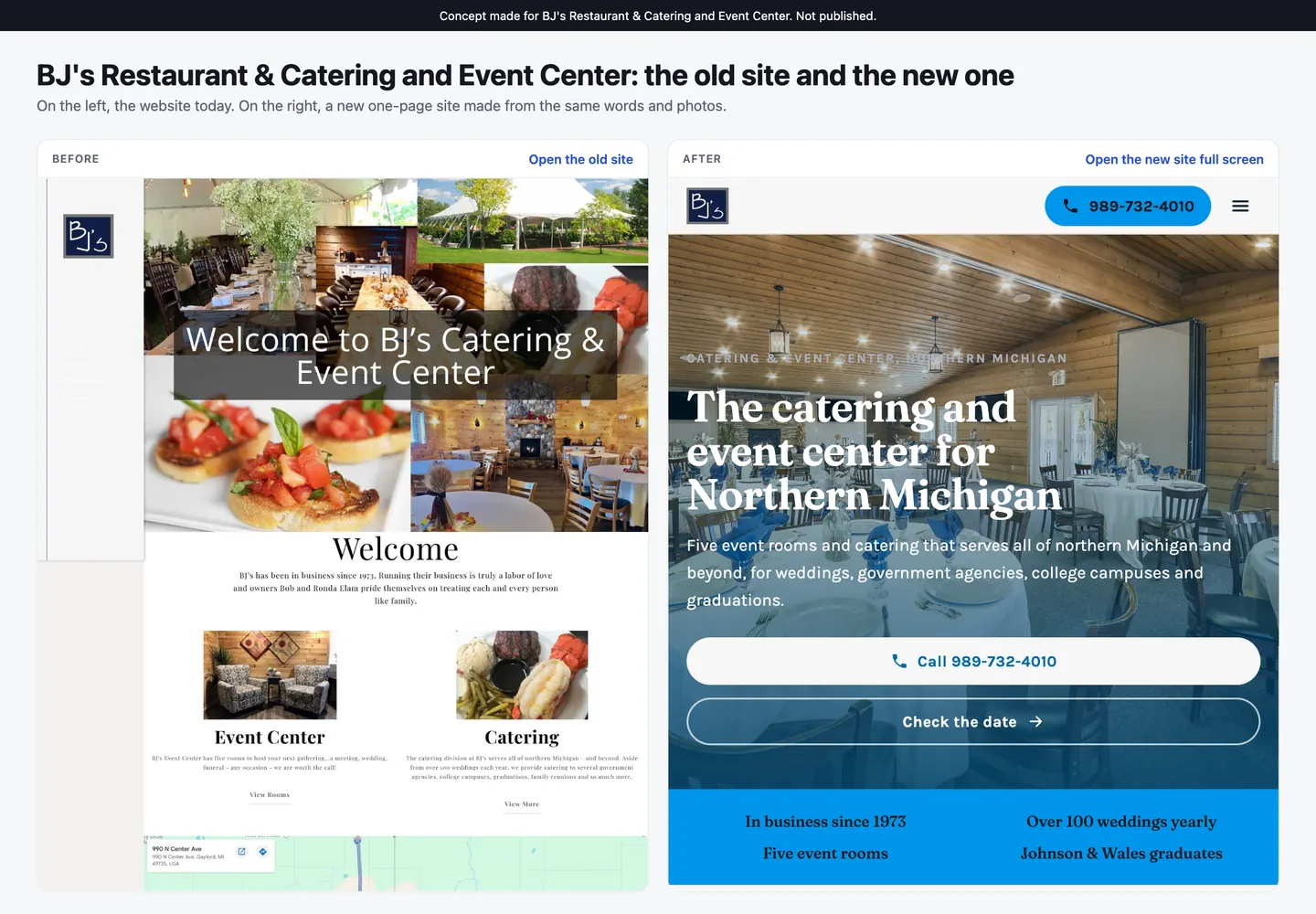
Drag the handle on each one. On the left is the business's website as it is today. On the right is the site Reelsite built from it, using their own words and their own photos.

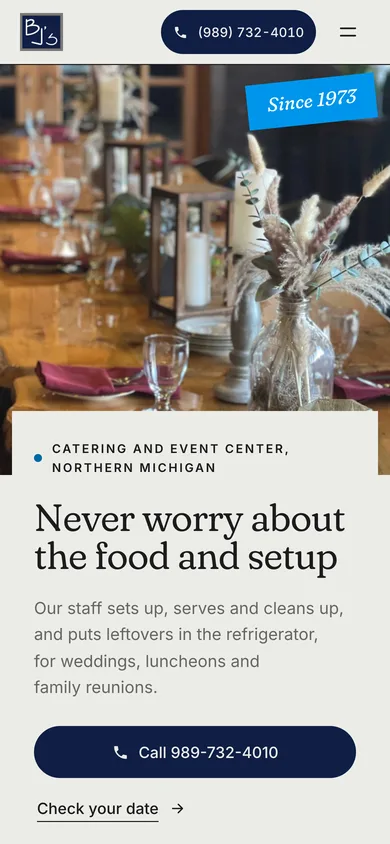
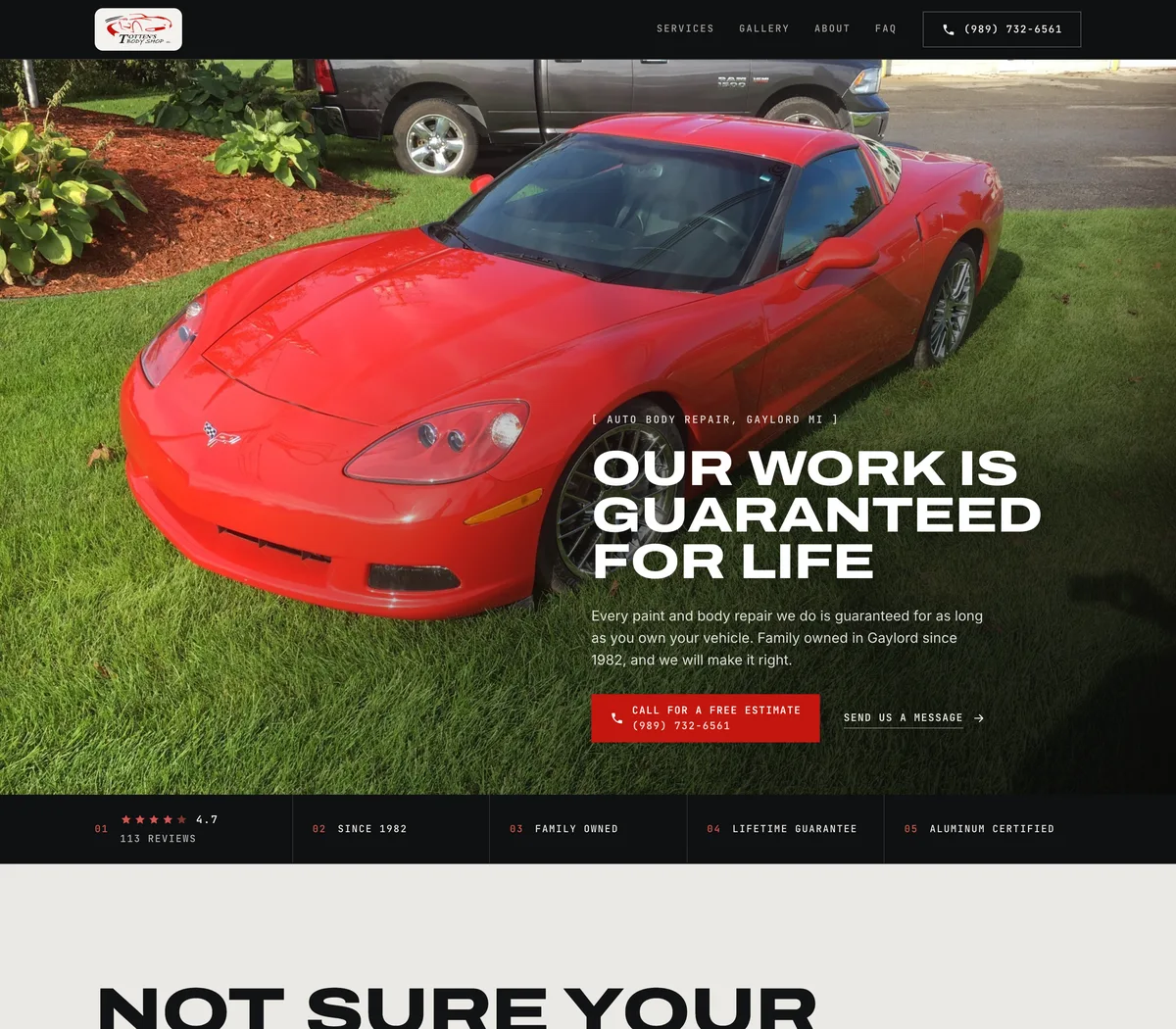
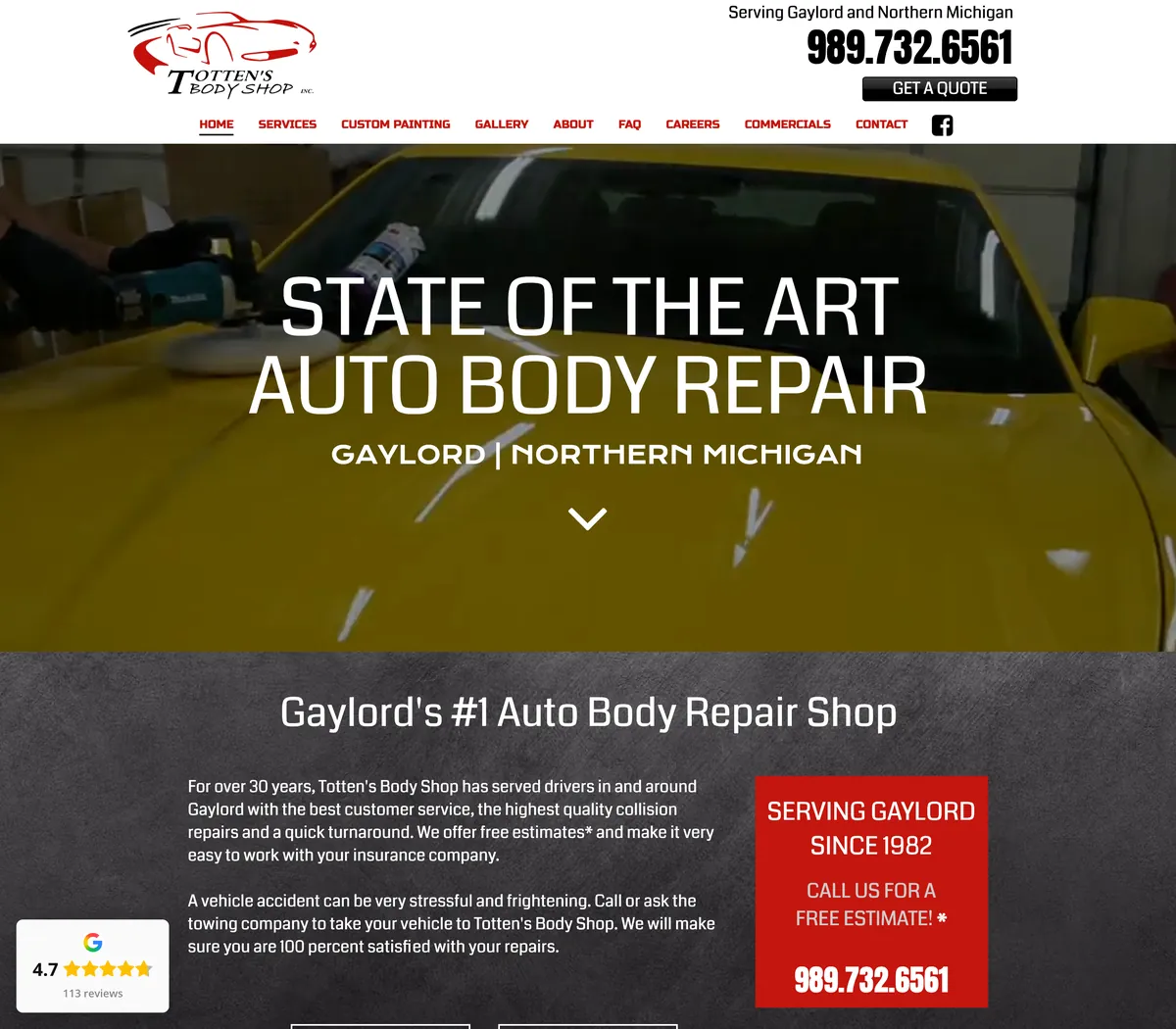
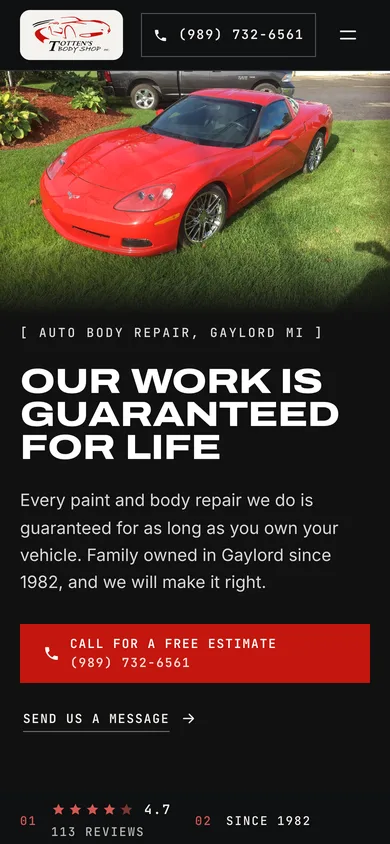
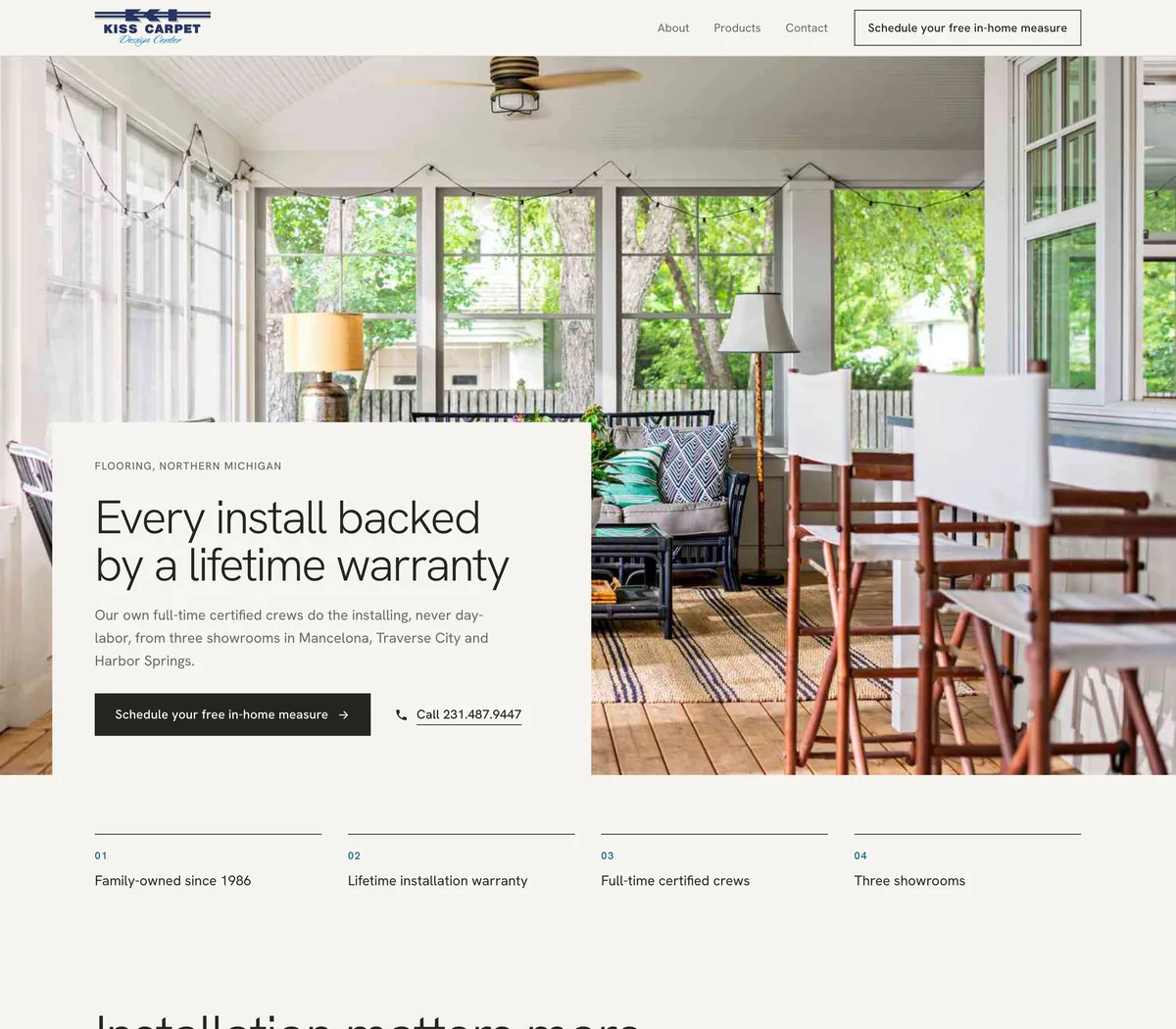
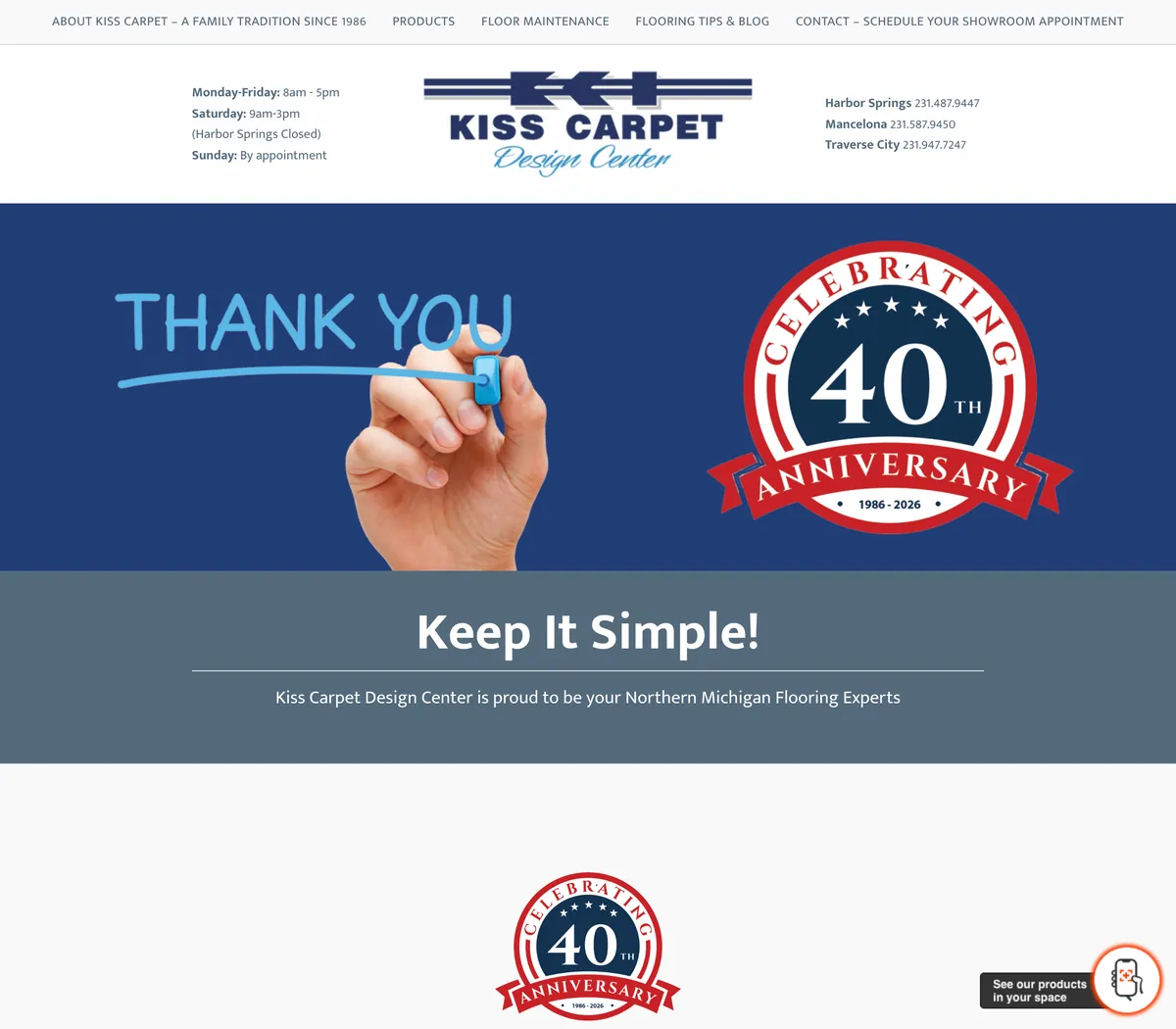
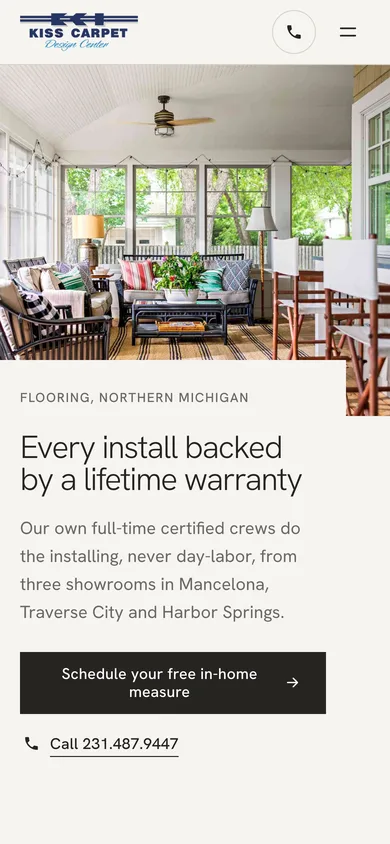
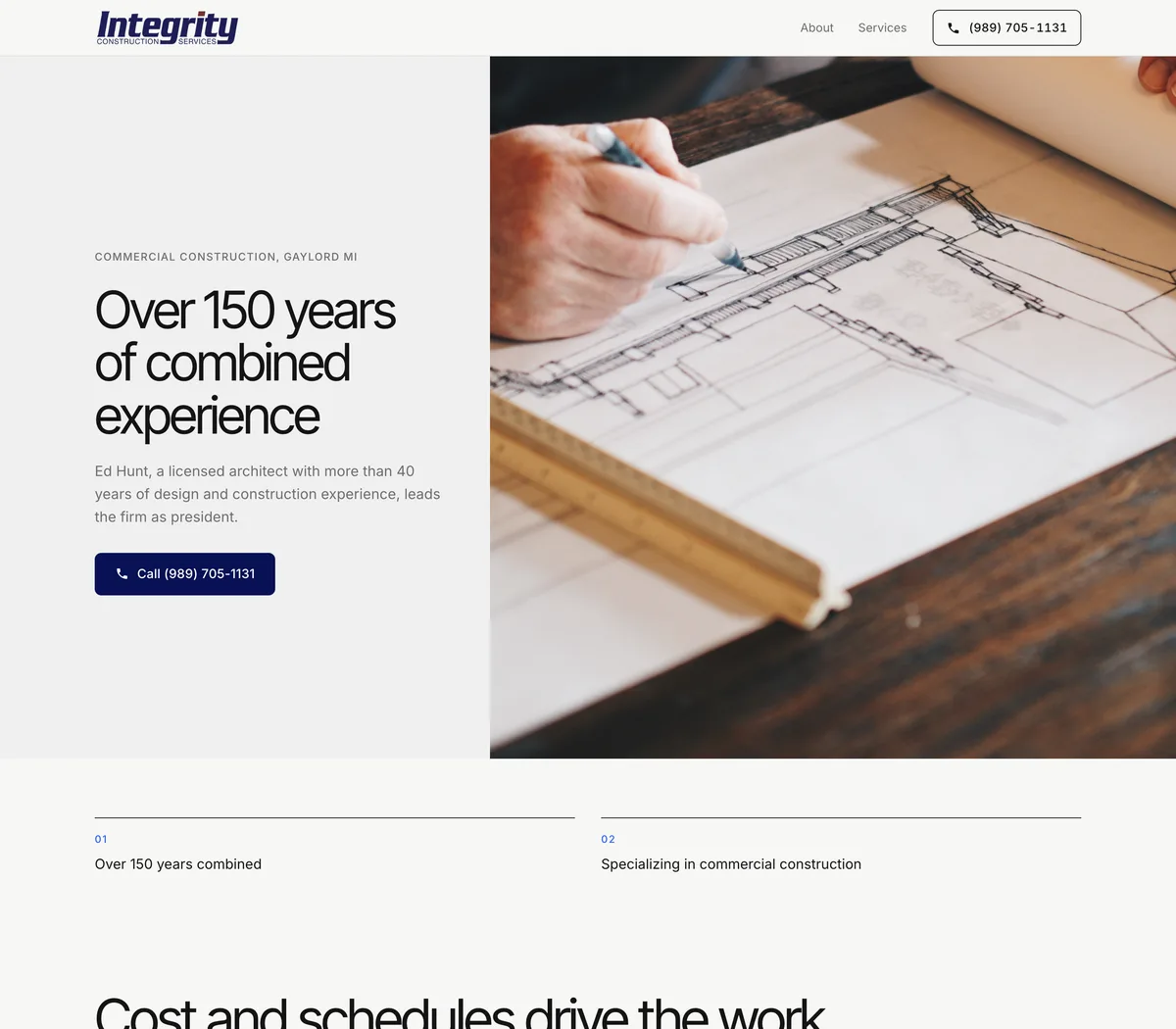


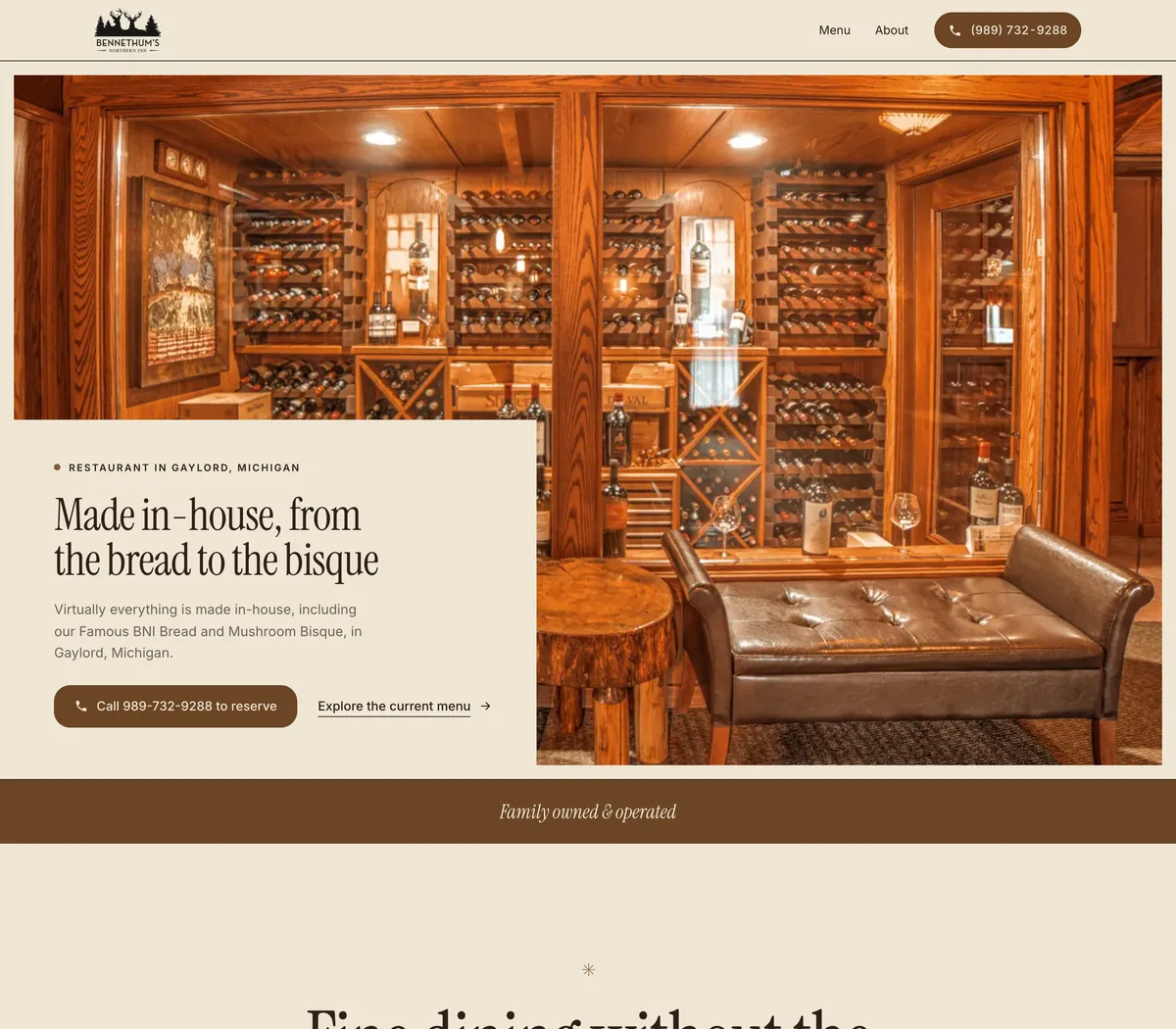
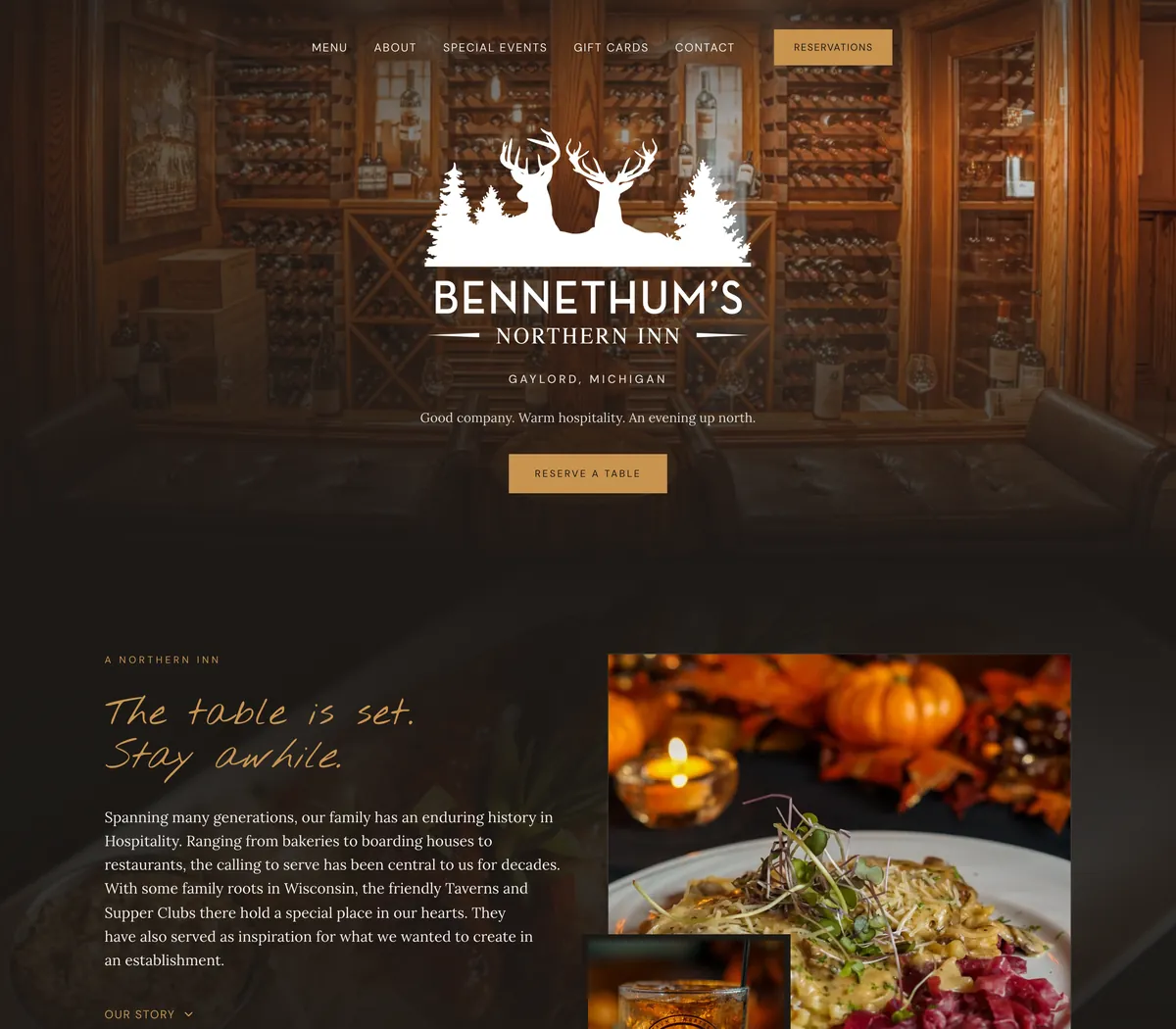
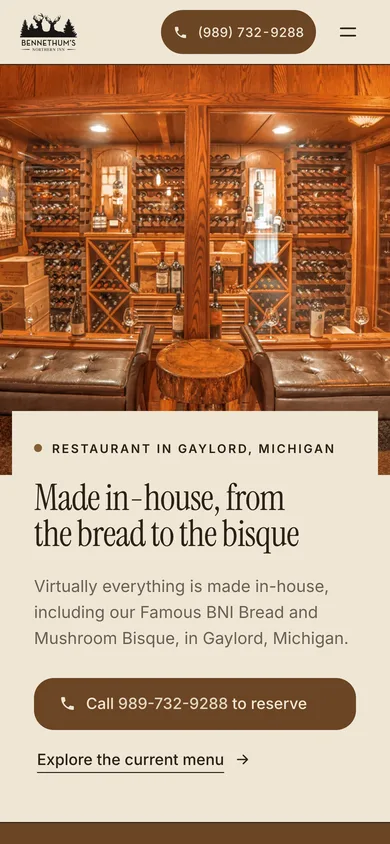
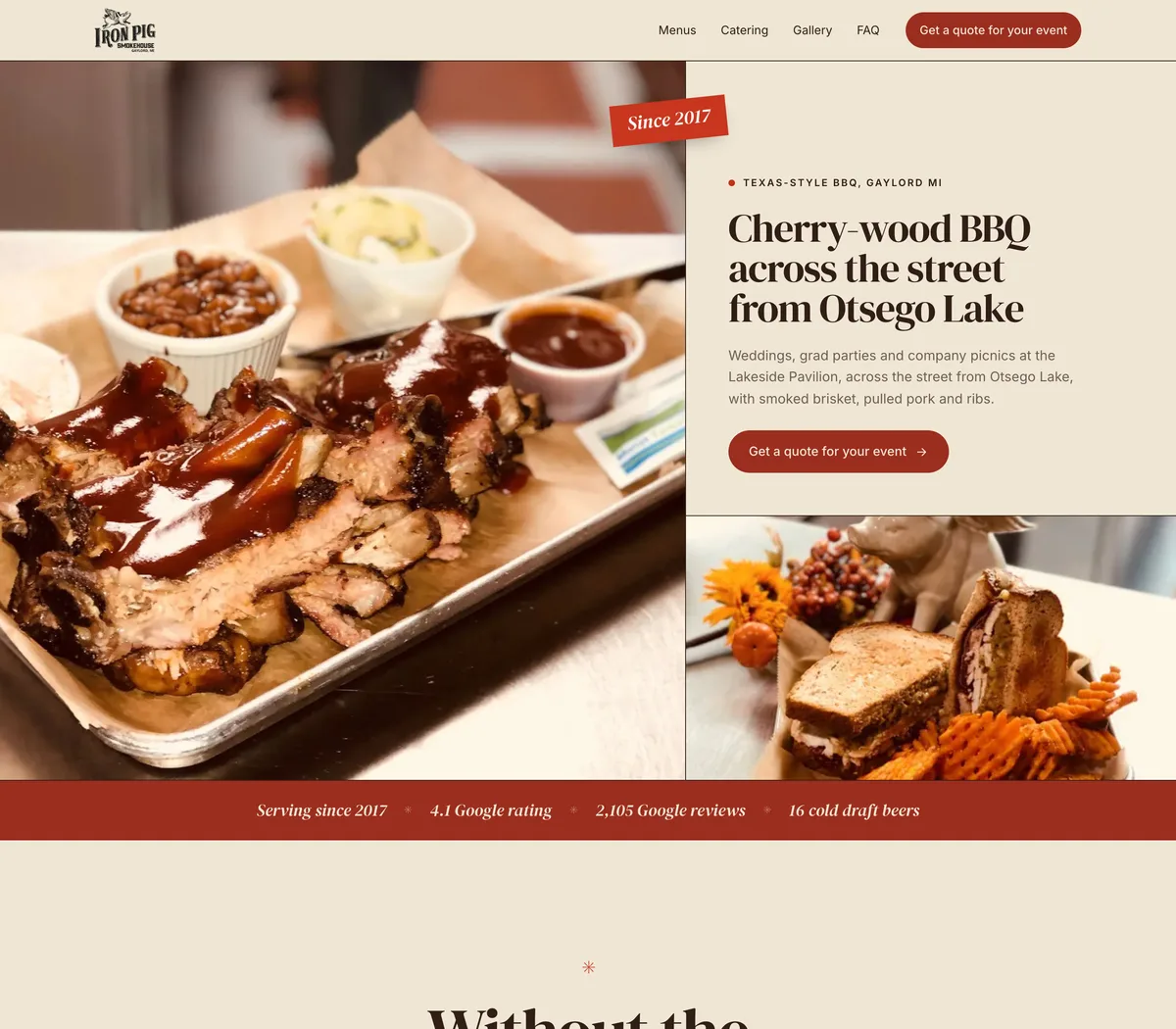
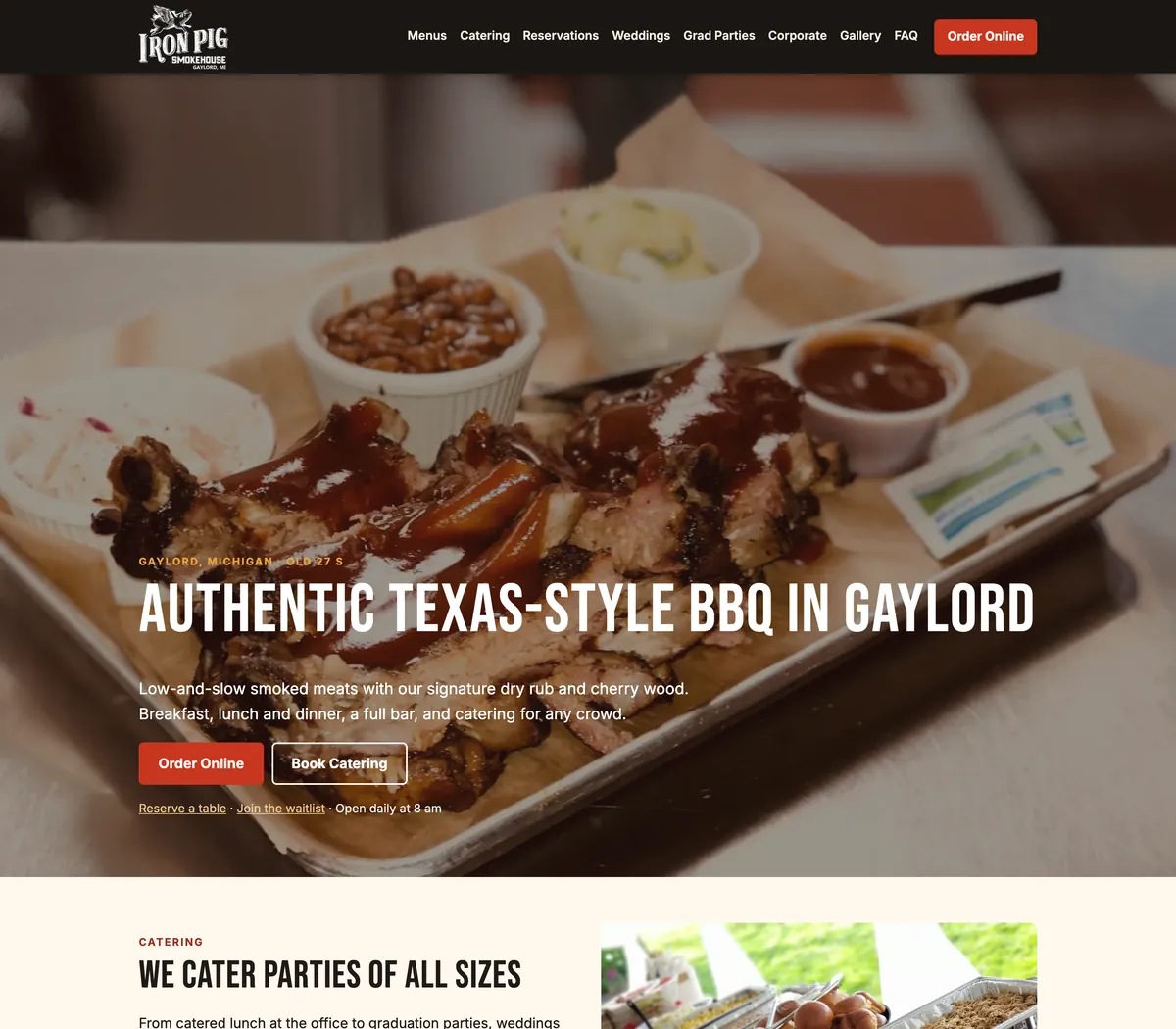
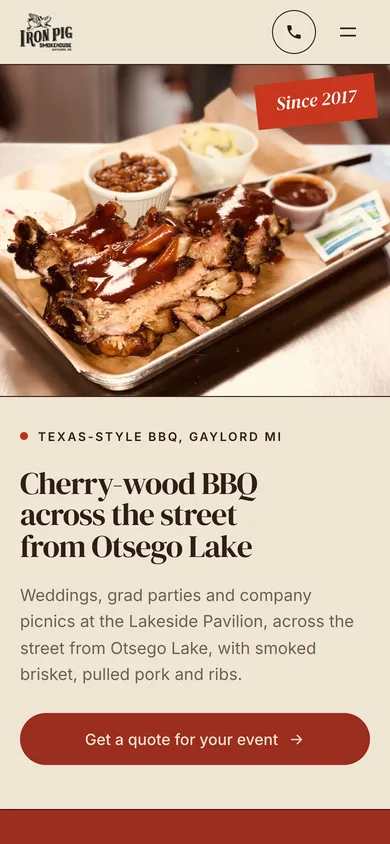
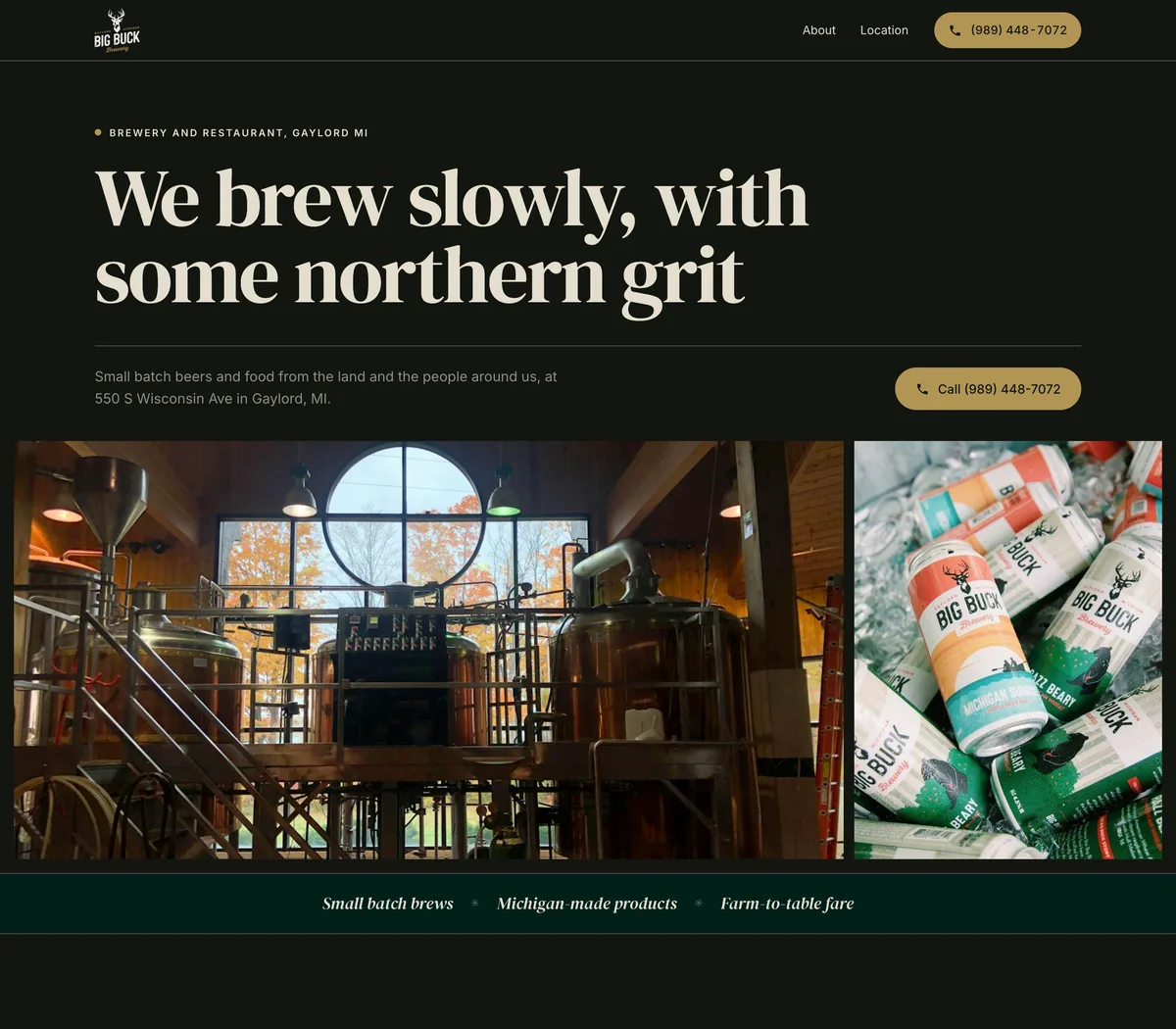
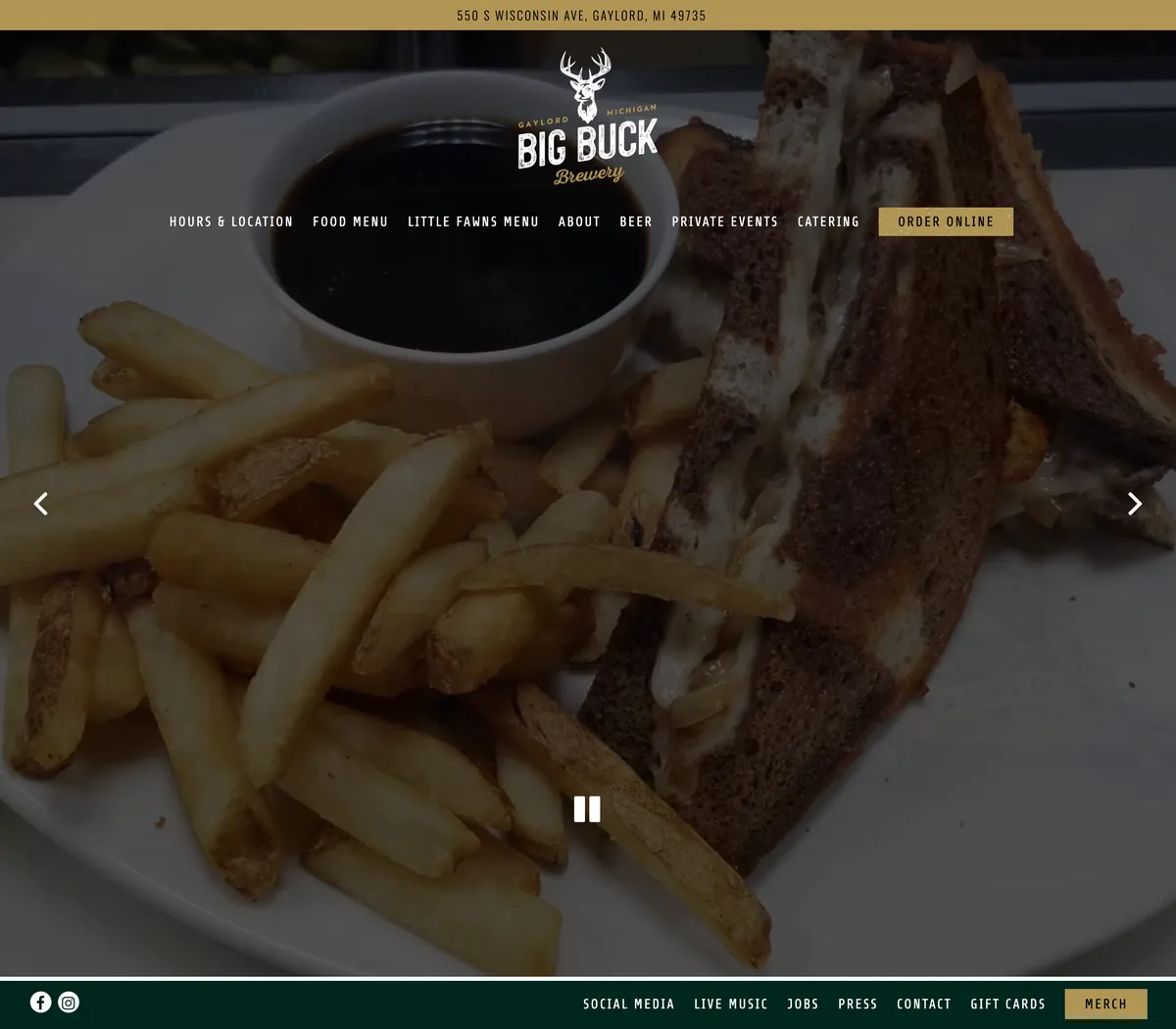
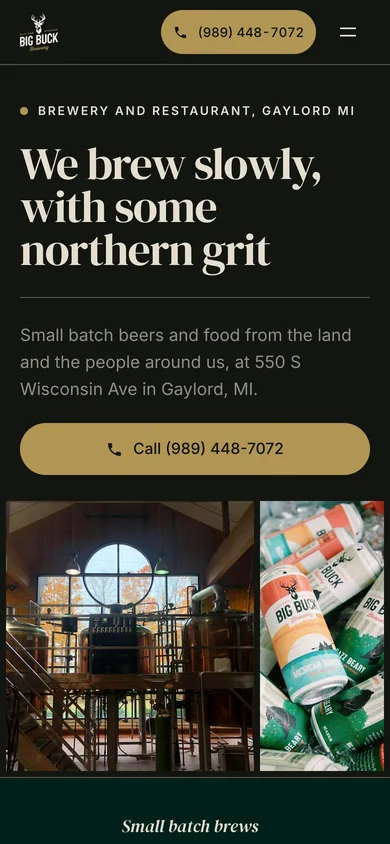
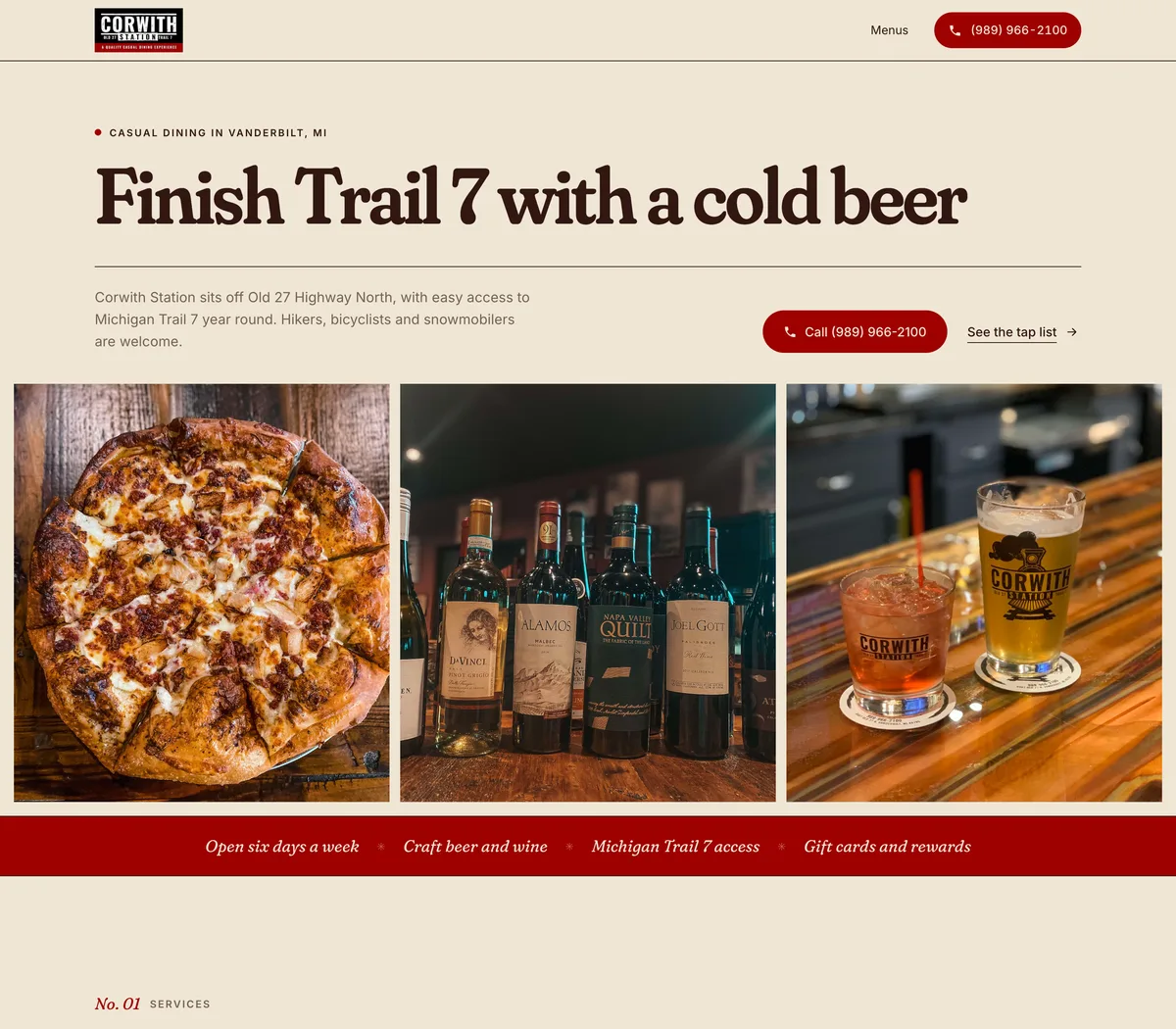
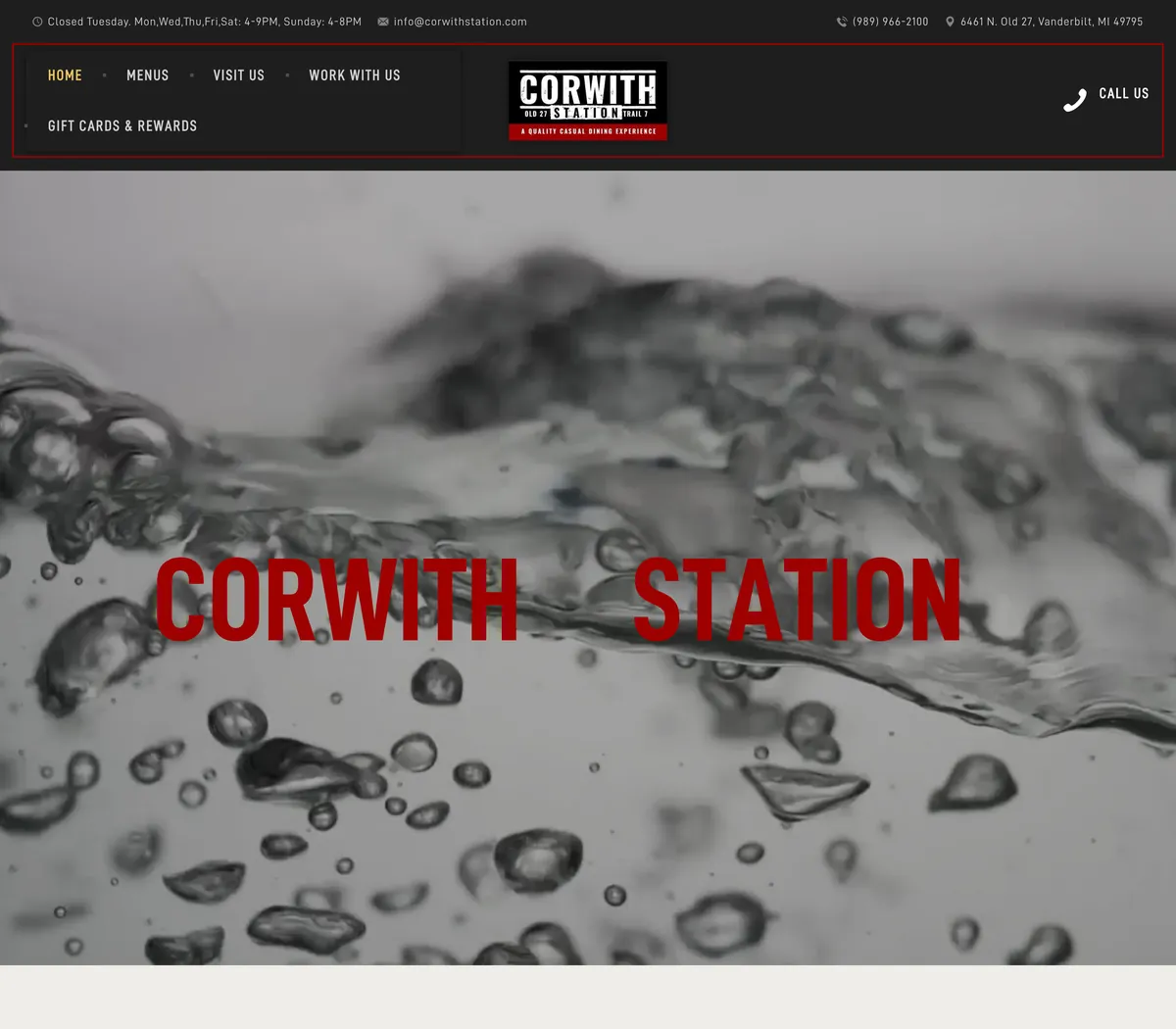
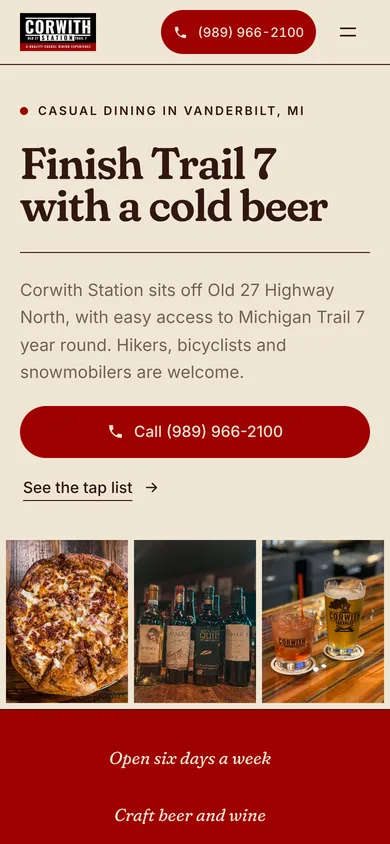
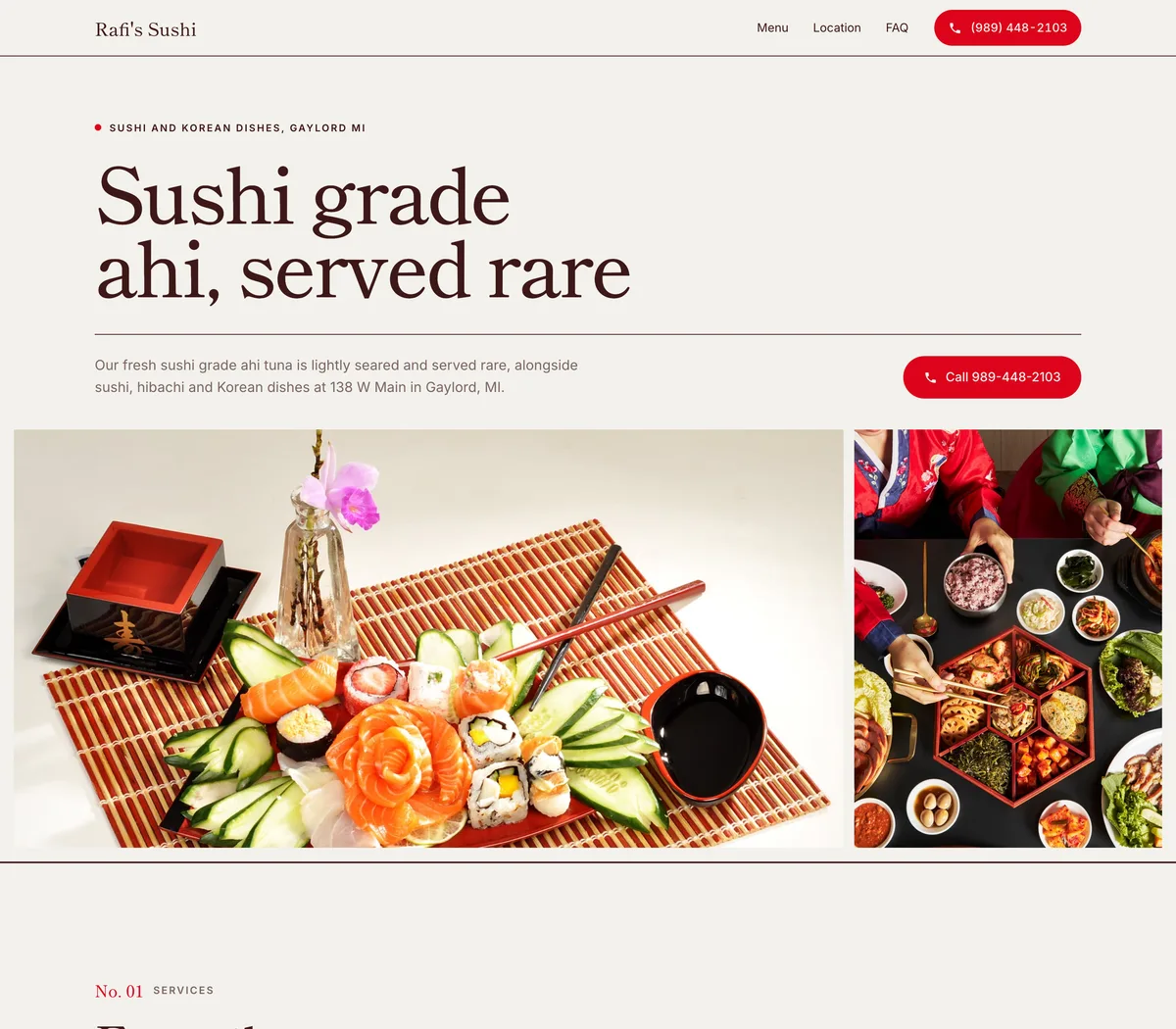
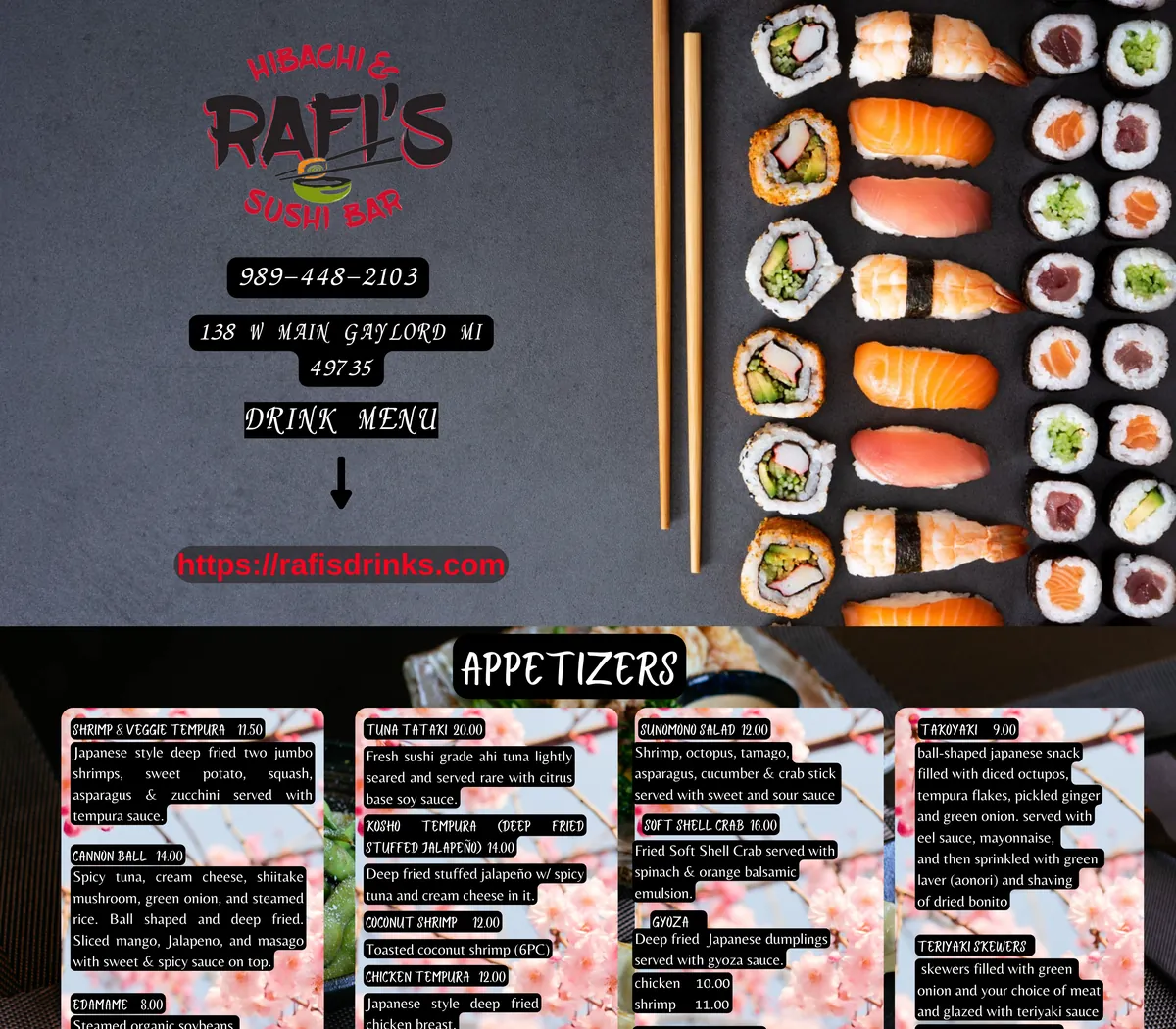
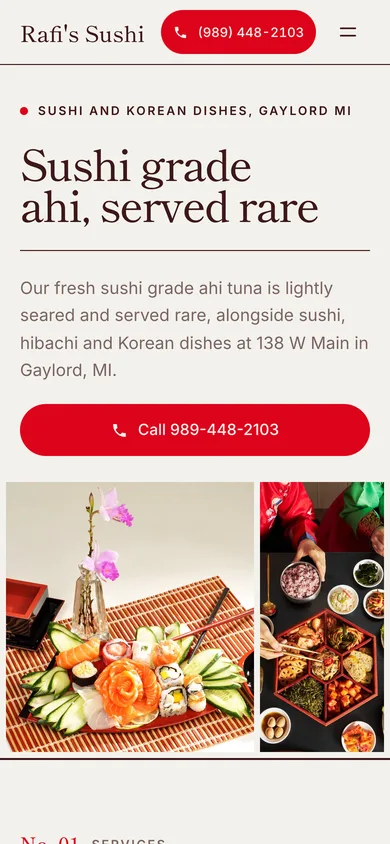
Real local businesses. Concepts built by Reelsite from their own websites, not published and not client work.
One payment · 500 credits · 30-day guarantee
From our customers
Reelsite is launching now, so it has no reviews of its own yet. These are customers of Reelocal, our local-business video app, made by the same team.

“I was very pleased with my first Reelocal video. ... I was also impressed with how Reelocal pulled together the business photos, captions, call to action, and contact information into a polished video so quickly.”

“I created my first video with Reelocale and the overall experience was very easy and straightforward. I especially liked that I could use my own photos, choose the images for each scene, edit the captions and voice-over, and create a professional-looking short video quickly.”
Every day
You sell websites to local businesses, or you would like to. A landscaper two towns over, a body shop, the family restaurant on Main Street. You write to the owner, tell them you build websites, and ask whether they would be interested.
"Hi, I build websites for local businesses. Would you like a quote?"
Most of them never answer. The few who do ask the same questions. What would it look like? Would I have to write all the text again? Do we need new photos? How long would it take, and how much of my time?
Your message asks a busy owner to picture a website they have never seen, and to imagine the work of getting there. Most of them would rather keep the old one.

Until one day
You are on a landscaper's website. The business has been around for more than forty years, the reviews are glowing, and the owner clearly knows his trade. But the site tells a different story. The text is tiny on your phone, a cookie banner sits on top of the call-back form, the gallery has two photos in it, and the best sentence on the whole site ("over 40 years of experience") is buried in the middle of a green paragraph.
Everything a new website needs is already there. It's just in the wrong order, in the wrong size, on a site that was built a long time ago.

Because of that
So you write the owner a short note, with no attachment and no link. You tell him you noticed his reviews and his forty years, that you rebuild old websites from the words and photos the business already has, and you ask whether he would like to see his.
He replies the next morning:
"Sure, show me what you've got."

Because of that
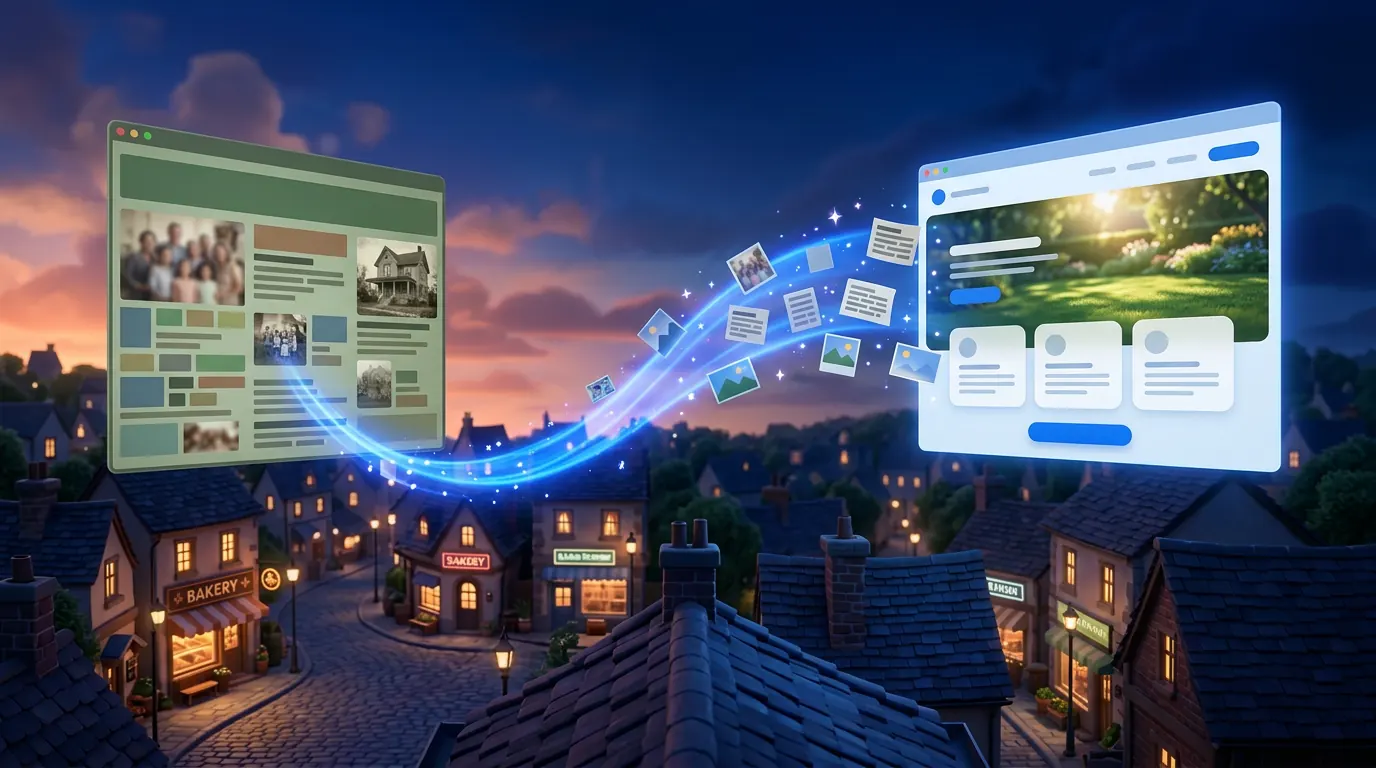
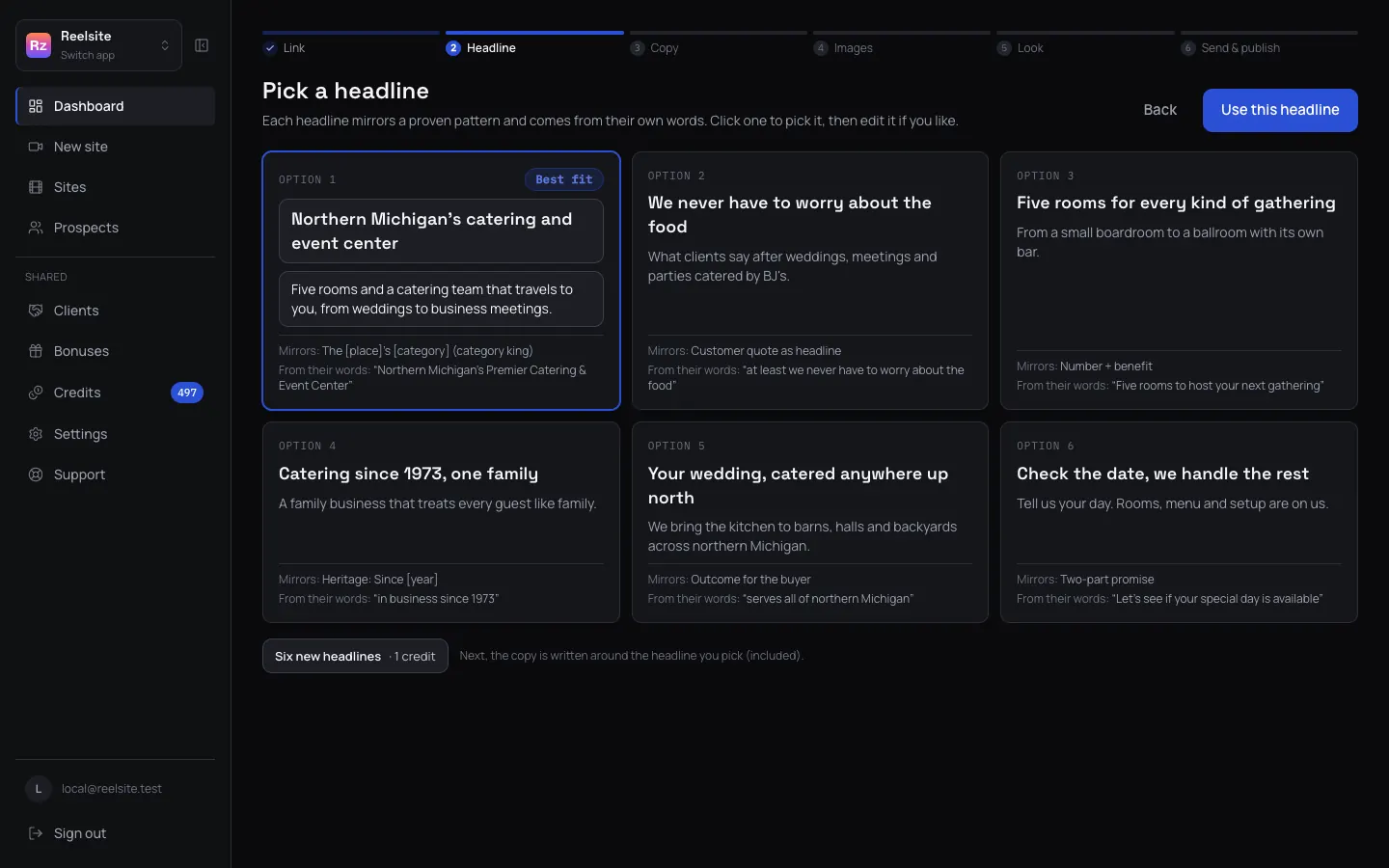
Reelsite reads his old site, page by page, and shows you what it found: the pages, the words, the photos, the logo, the phone number and the reviews. Then it offers you six headlines, each one built on a proven headline template and made from his own words, and you pick the one you like.
It writes the page in his voice. Most of the sentences are his, kept as he wrote them, and the few new ones are built from facts already on his site and tagged so you can see them. His reviews are quoted word for word. His photos go in first, cleaned up where they were small or blurry, and where a section has no photo, Reelsite fills the gap with a generated one and labels it. It also gives you a short to-do list of what it noticed, like "no opening hours on the site" or "two different phone numbers".
You choose one of four designs in his own brand colours, check the page on a phone, and copy the link to the before and after page.
Until finally
"That's our stuff, but it looks like a real company now. What would it cost to put this up?"
You didn't have to explain what you do, because he is looking at it. He recognises every sentence, because he wrote most of them. Now the conversation is about when the site goes live.
Illustrative story. Replies, clients and income depend on your market, your offer and your effort.
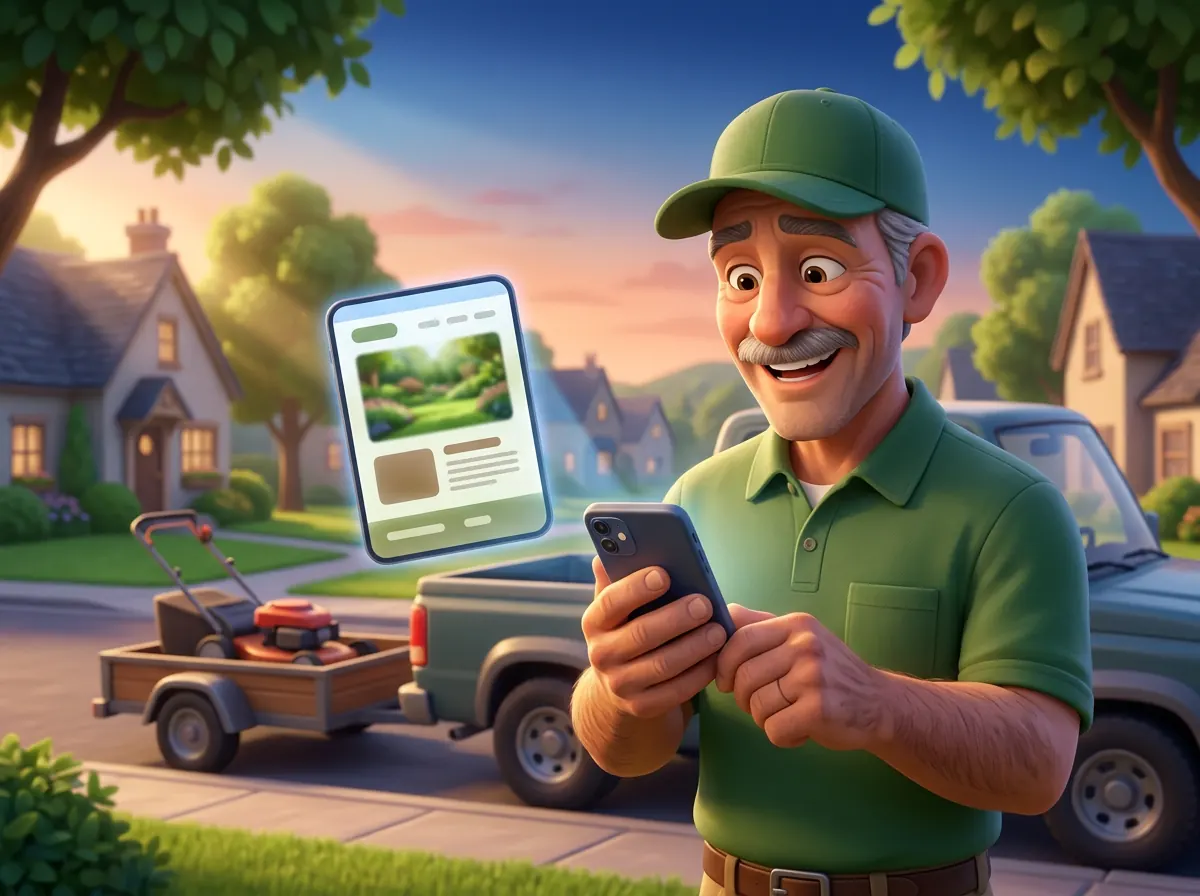
The moral of the story
That is the idea behind Reelsite. An owner who sees a new website full of words he never wrote has to decide whether he trusts them. An owner who sees his own sentences, his own reviews and his own photos on a clean, modern page only has to decide whether he likes it. That's a much easier yes.
And you can do it for almost any local business with an old website, because the hard part, what to say, is already on their site.
Proof before pitch
We call this Proof Before Pitch: you show a business what you can do by making a sample for them, before you ask for the job. With Reelsite we do it in two steps.
Write a few lines to the owner, with no attachment and no link. Name something real from their website, say what you do, and offer to show them a new version of their site for free. The note has one job, which is to get a reply.
When the owner says "show me", build their new site in Reelsite and send them the before and after page, one-to-one, from your own email. Now they are looking at their own business on a new website, which answers every question your first message couldn't.
This keeps your credits for owners who asked to see something, and it keeps your emails short and personal, the way one person writes to another. If you already know the owner, or they are already your client, you can skip the note and send the before and after straight away.
Hi Wayne, I was reading your reviews and saw you've been at it for over 40 years. Your website doesn't show that off as well as it could, especially on a phone. I rebuild old sites using the words and photos a business already has. Would you like to see a new version of yours? No charge.
Sure, show me what you've got.
Here it is, built from your own site: [before and after link]. Everything on it is yours, I just put it in a better order. What do you think?
Illustrative conversation.
The cost of making a sample
Making a sample site by hand means reading the old site page by page, copying the text out, finding the photos and saving them at a usable size, writing a headline, deciding which sections to keep, choosing colours, building the page, checking it on a phone and putting it somewhere the owner can see it.
That is a lot of work to do before you know whether the owner is even interested. Repeat it for five businesses and you have done five website jobs for free before winning one. And if you skip the reading and start from a blank template, you have to write the words yourself, which is where most owners stop recognising their own business.
Reelsite does that work inside one tool. It reads the old site, keeps the owner's words, picks their best photos, writes the headline options, builds the page in a proven section order and gives you a page to send. You check it, change what you want and send it.

No design skills, no copywriting, no hosting bills
Reelsite works in steps, one screen at a time, and it saves every step, so you can stop and come back.
Link
Reelsite reads the old site, the home page and the pages linked from it, and shows you what it found: the words, the photos, the logo, the brand colours, the phone number, the address, the hours and the reviews. Reading a site doesn't use credits.
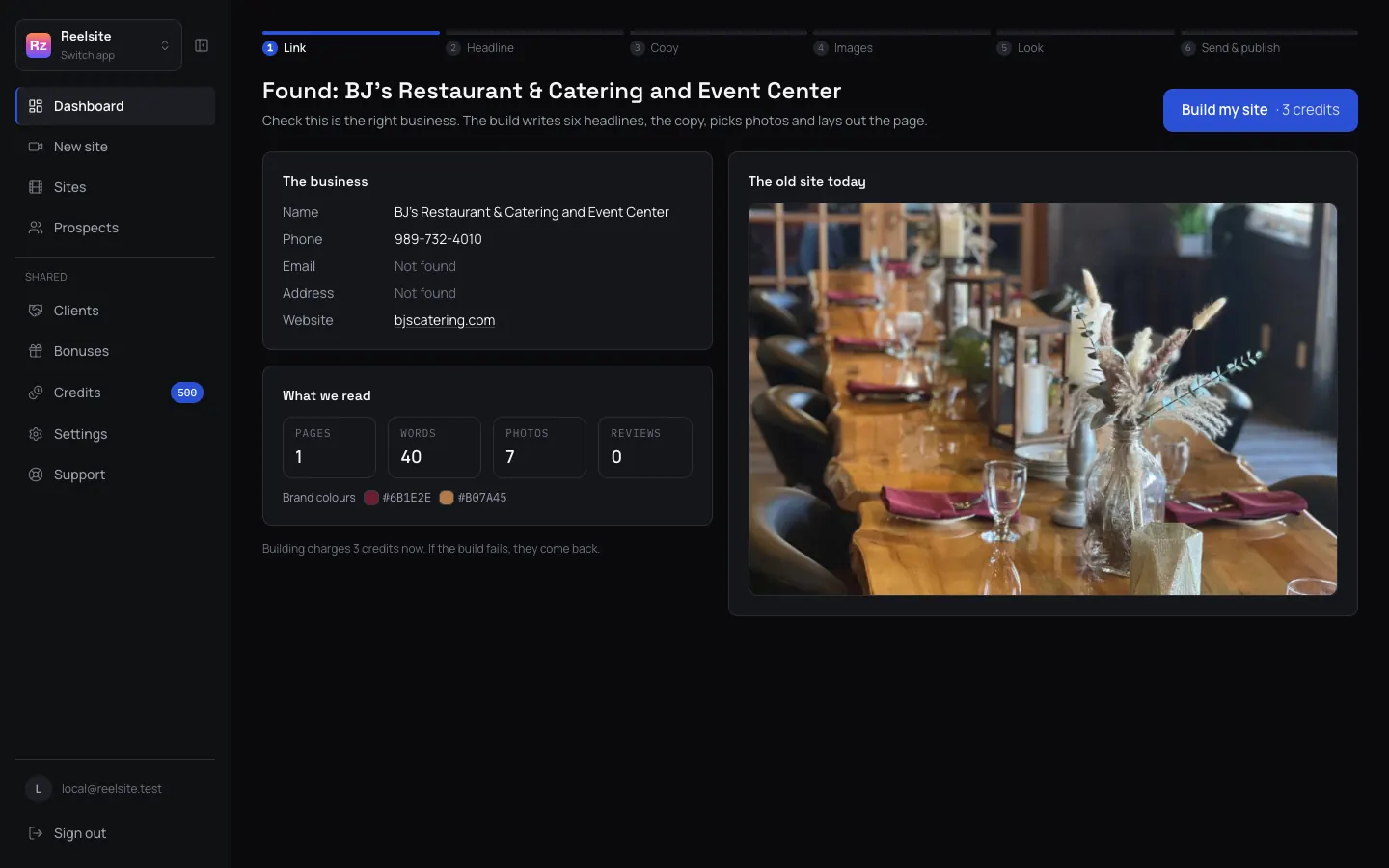
Headline
Reelsite writes six headline options, each built on a proven headline template and made from the owner's own words. The template each one follows is written under it. Pick one, or edit it.
Copy
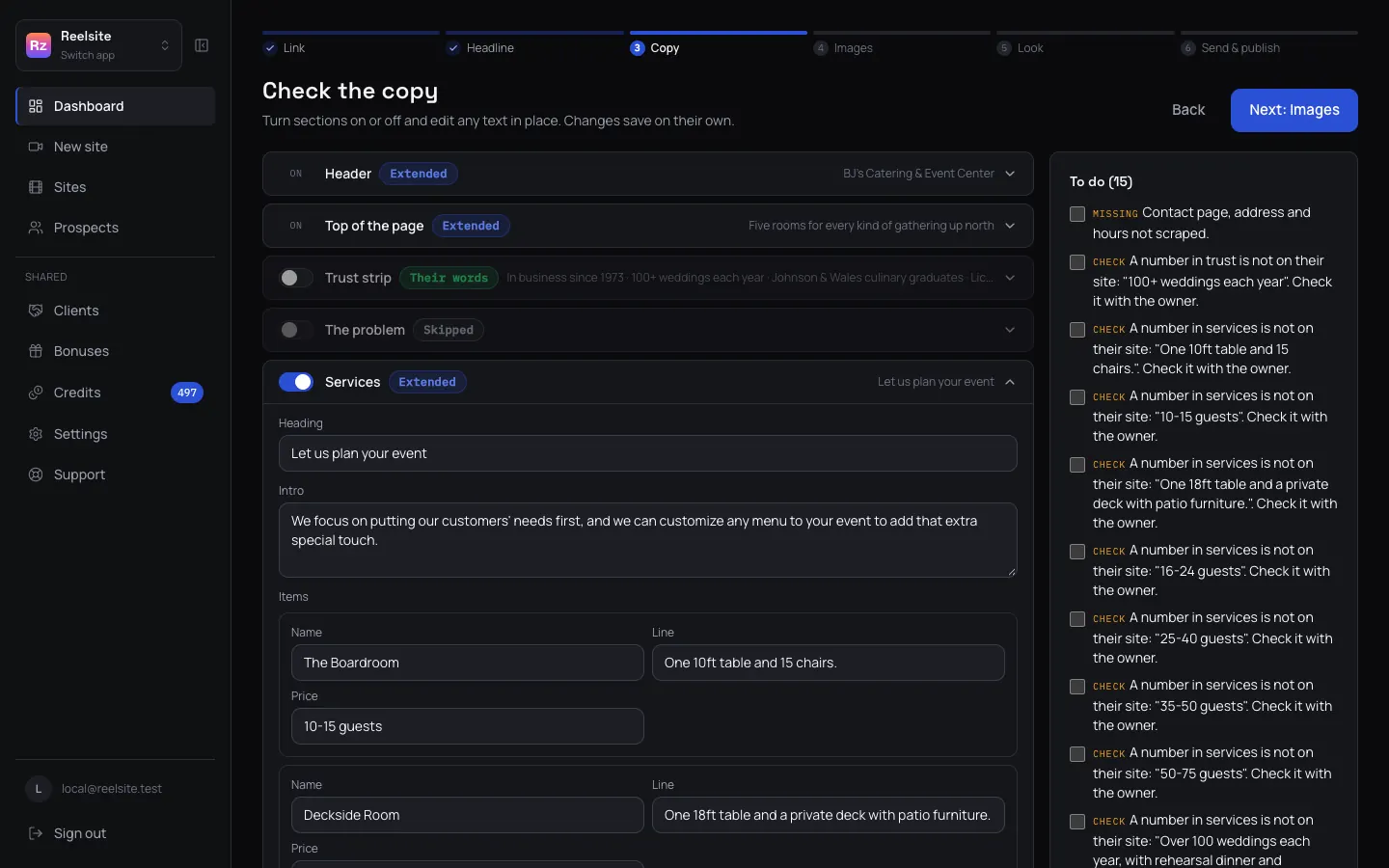
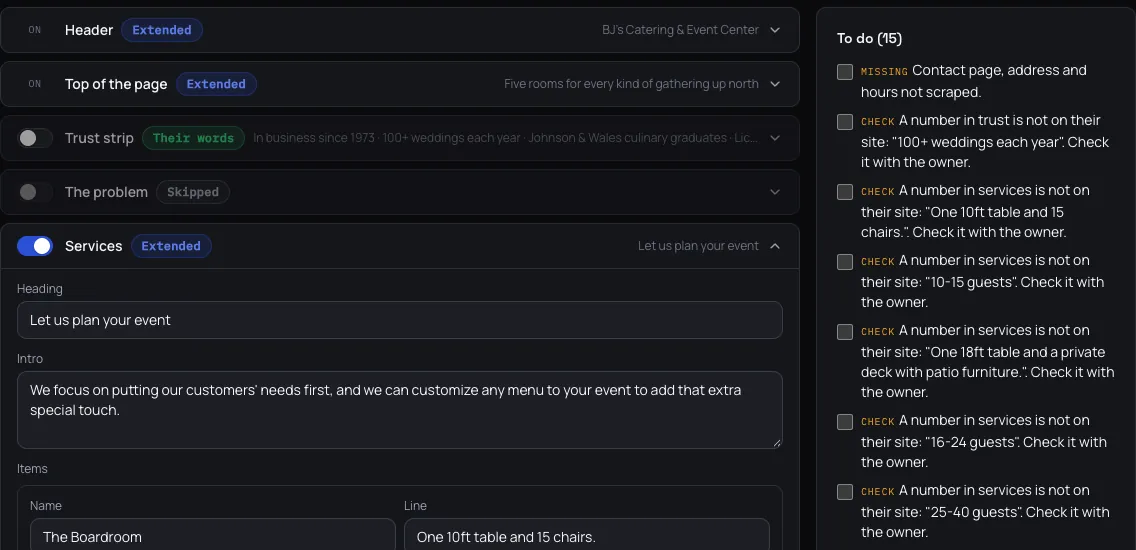
Reelsite fills a proven one-page structure with the owner's words: the hero, the services, how it works, the reviews, the about section, the service area, the FAQ and a contact section. Every section is tagged "their words" (copied from their site) or "extended" (a new line built from facts on their site), and any section the old site has nothing for is left out rather than made up. Switch sections on or off, click any sentence to change it, or ask for one section again.
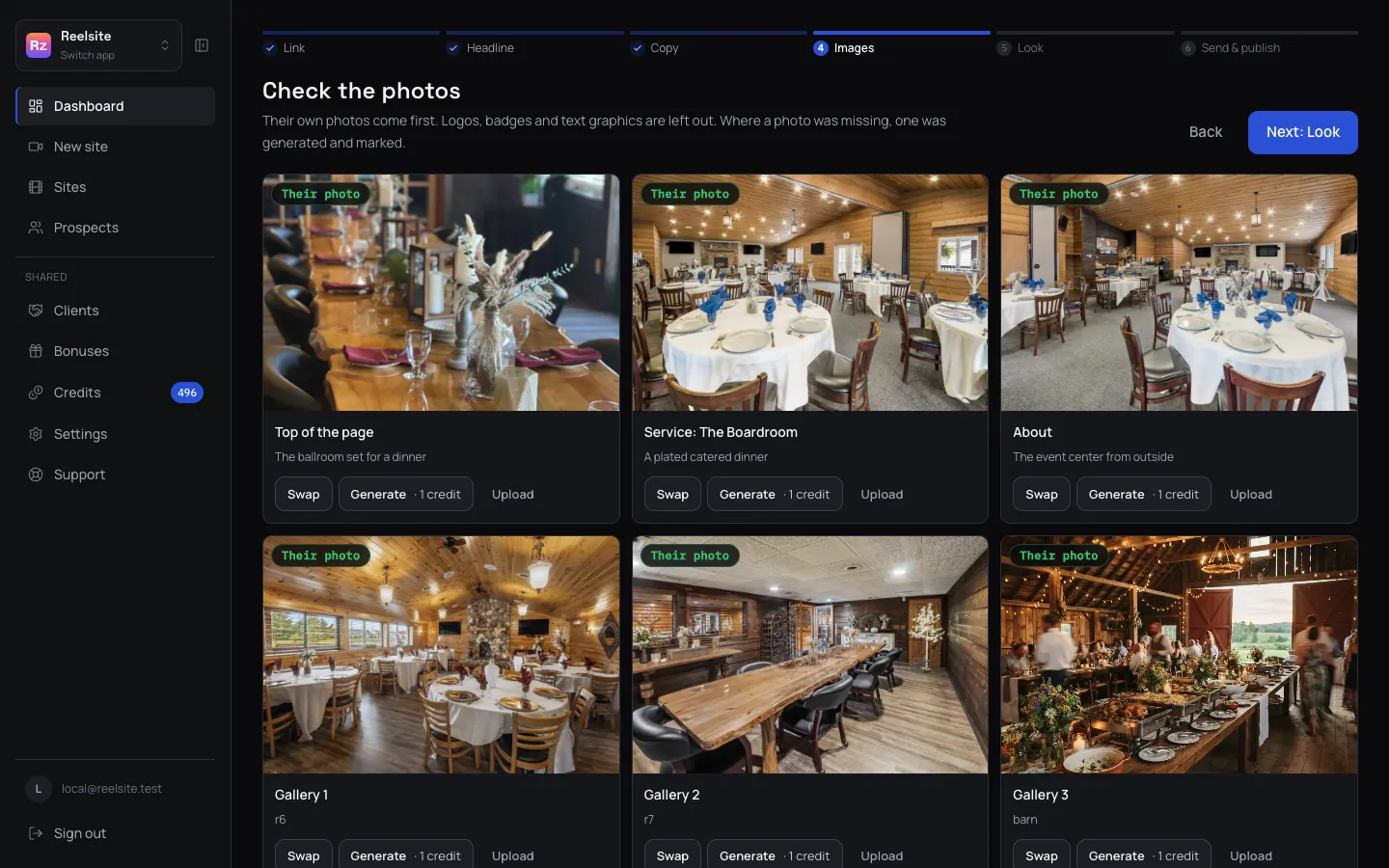
Images
Their real photos go first. Small or blurry ones are cleaned up, and if a section has no photo at all, Reelsite generates one and labels it "generated" so you always know. Swap any image for another of their photos, upload one, or generate a new one.
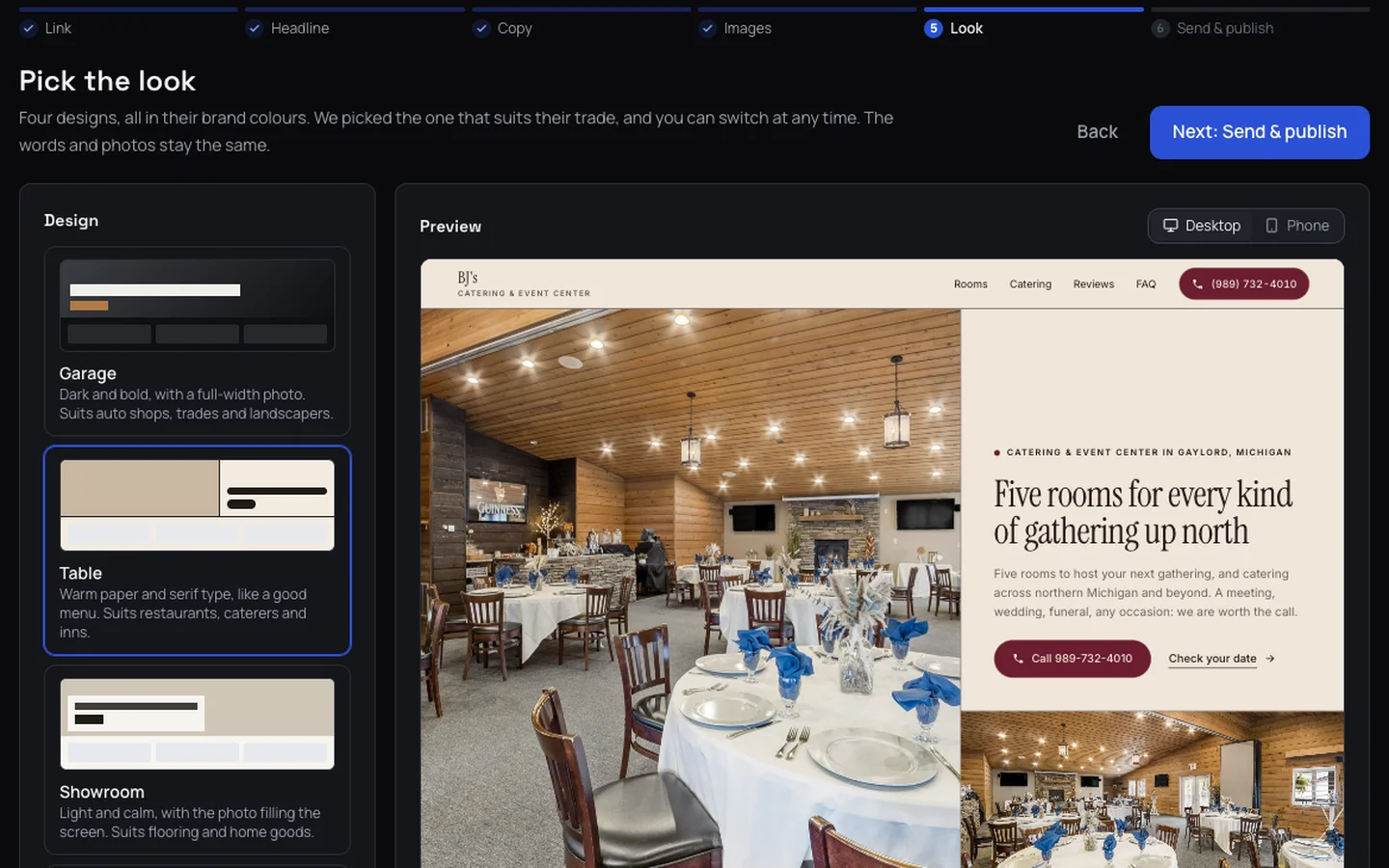
Look
Reelsite picks the design that suits the trade, in colours taken from the business's own logo and website, and you can switch to any of the four. Check it on desktop and on a phone. Every design is built for phones first.
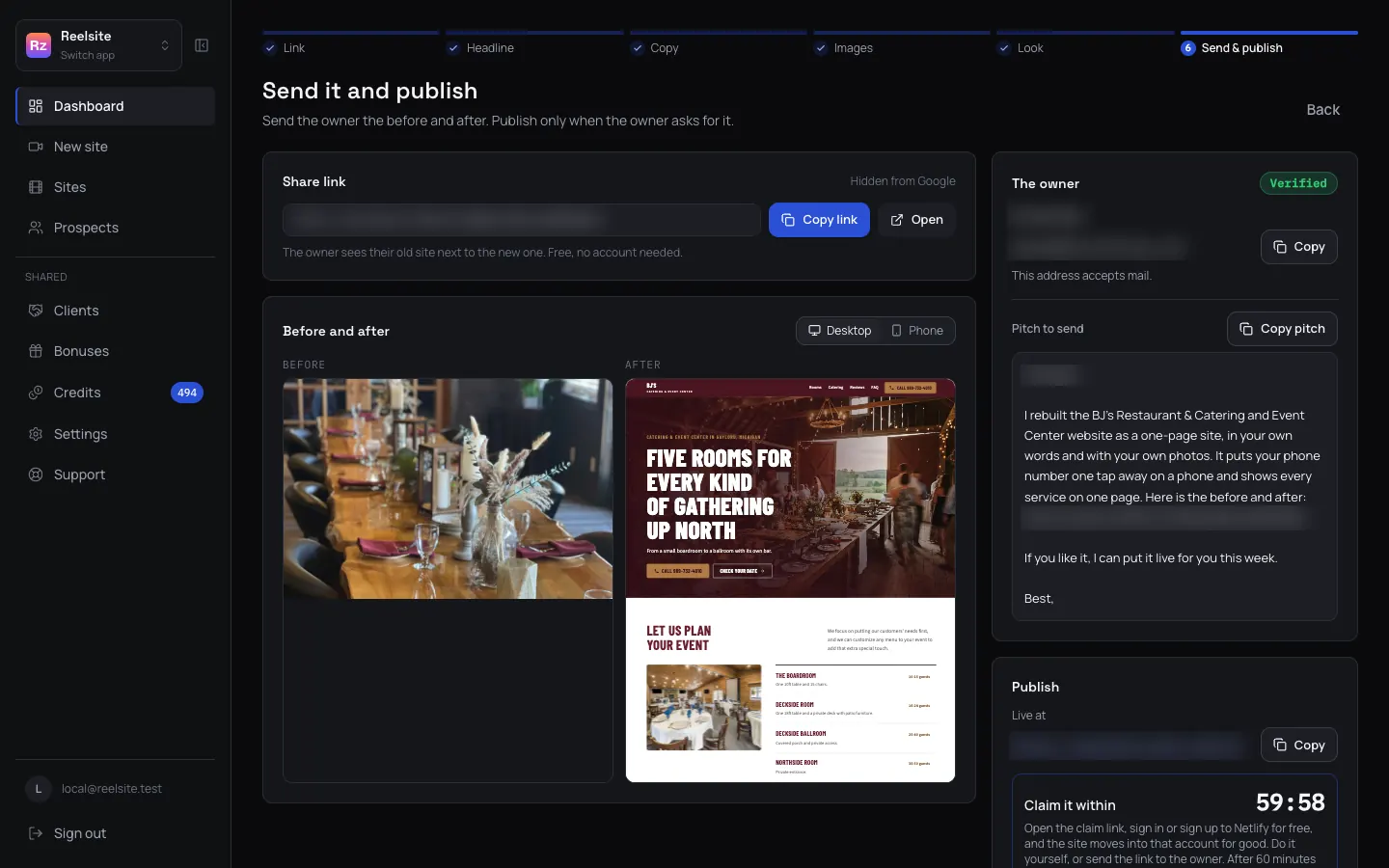
Send
Copy the link to the before and after page and send it to the owner, with the short pitch Reelsite writes for you. When the owner says yes, publish the site free on Netlify with a claim link, or download it as a zip.
Step 05 up close
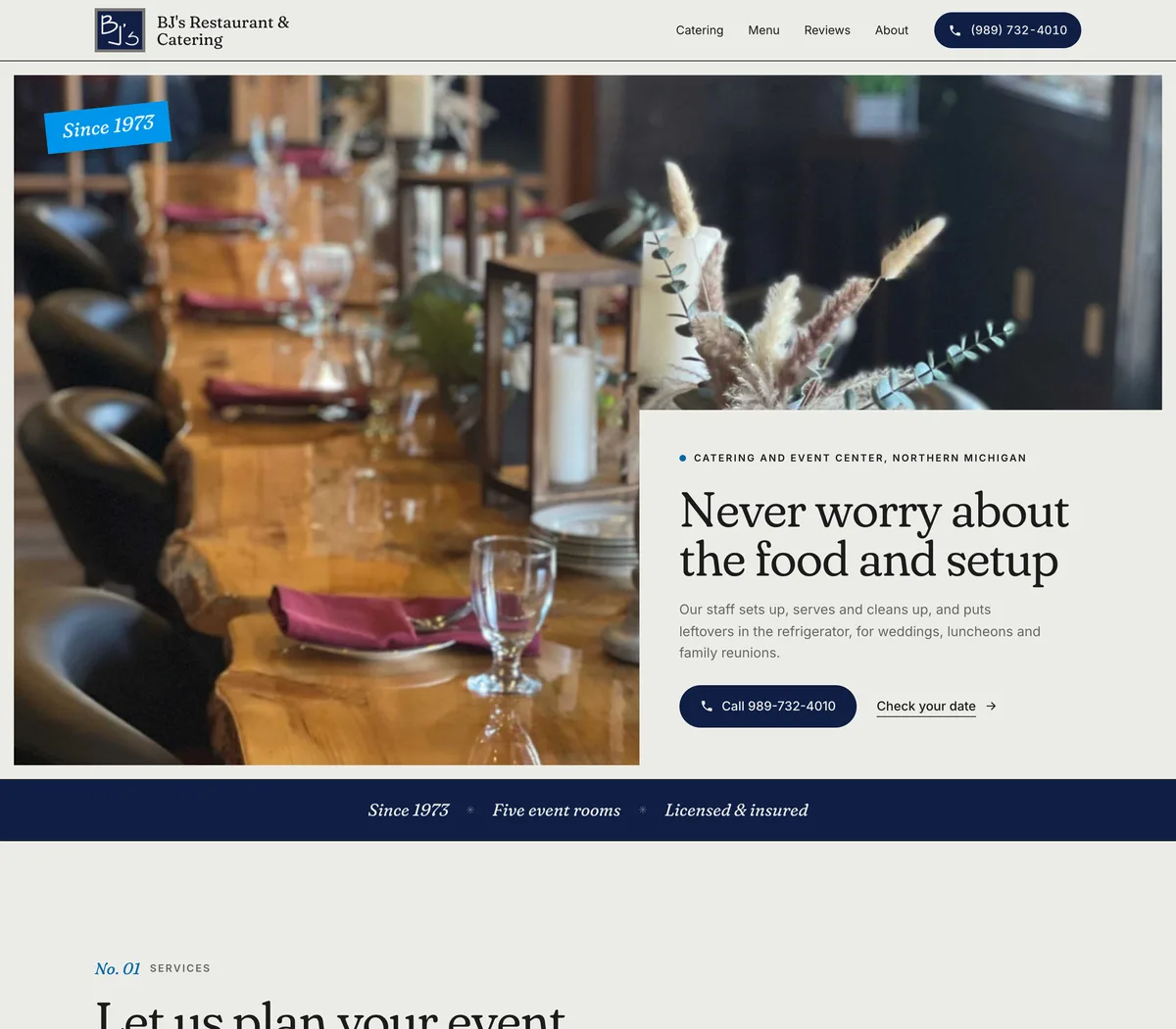
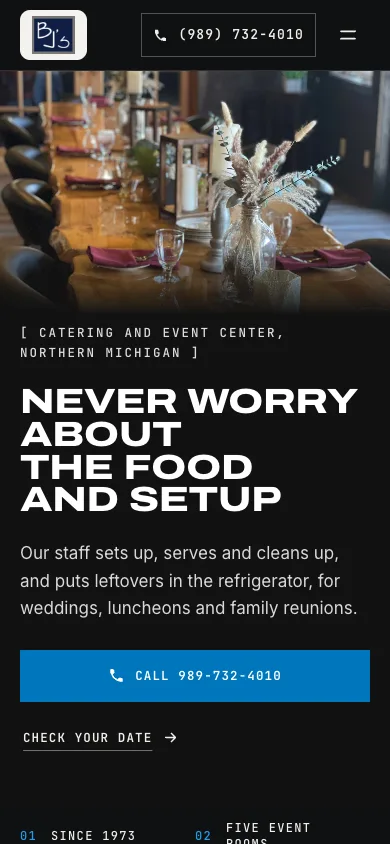
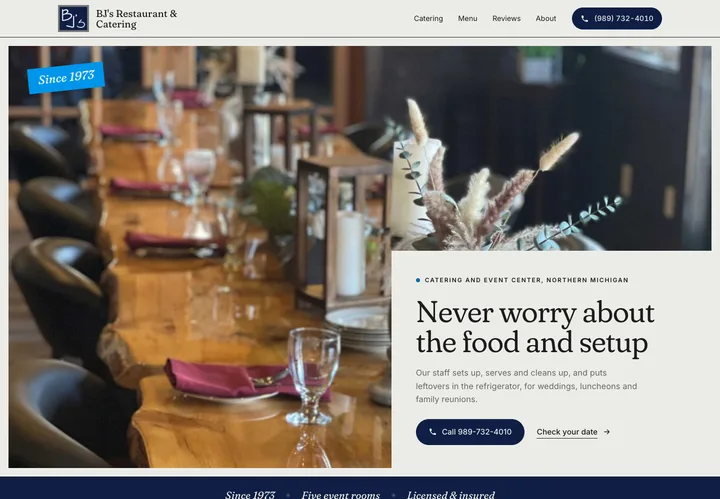
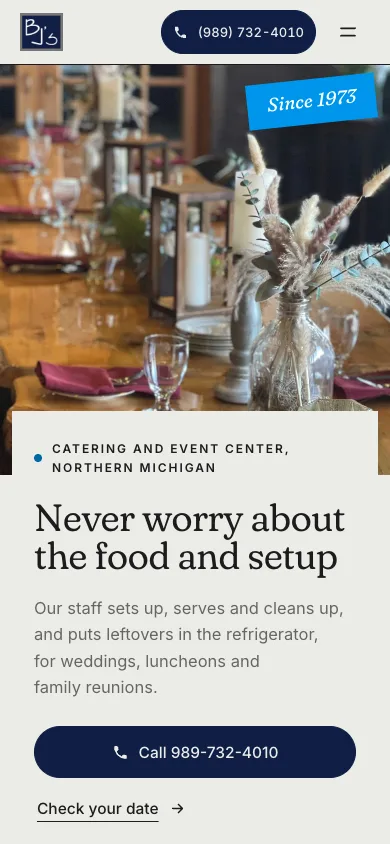
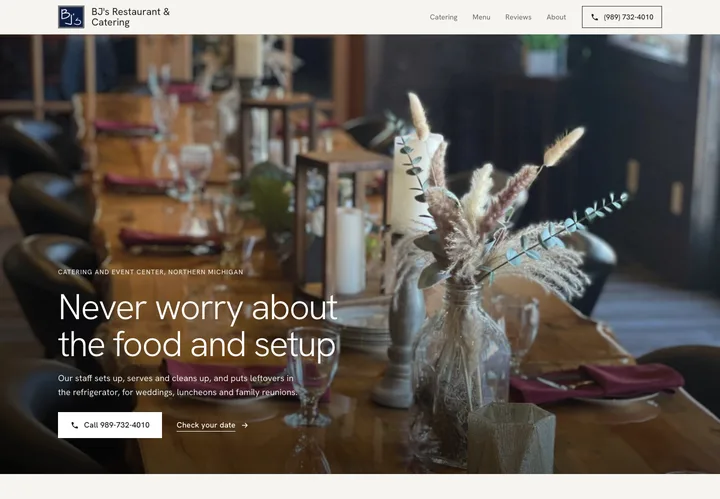
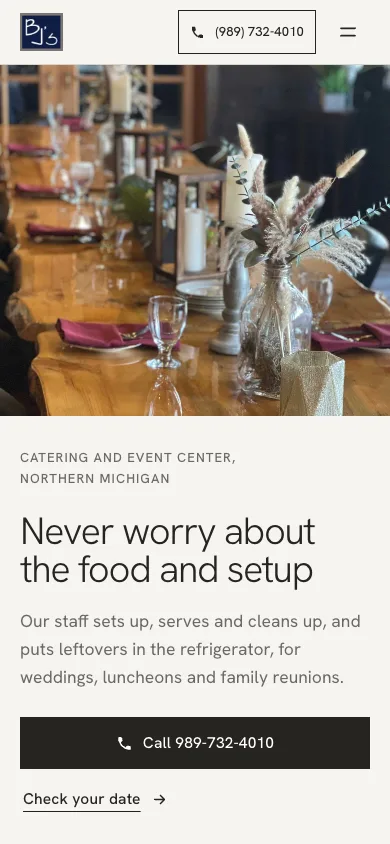
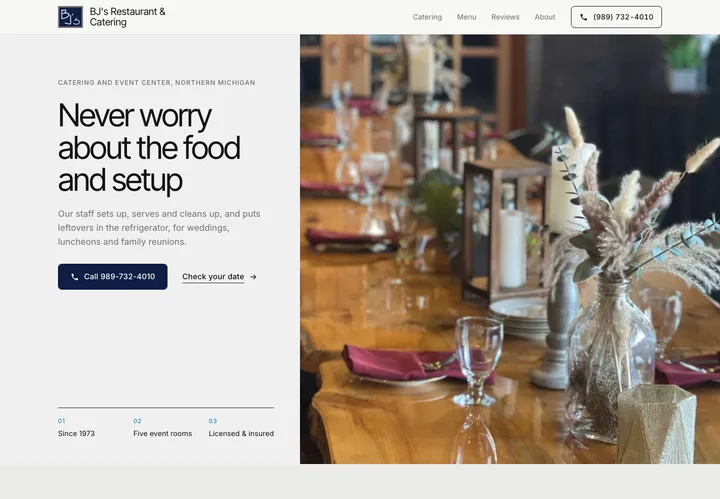
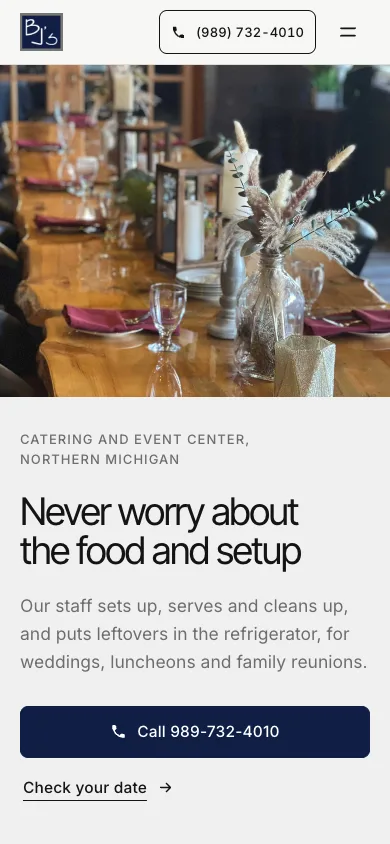
BJ's Catering & Event Center in the four designs Reelsite offers. Same words, same photos, the colours taken from their logo.
The owner's own words
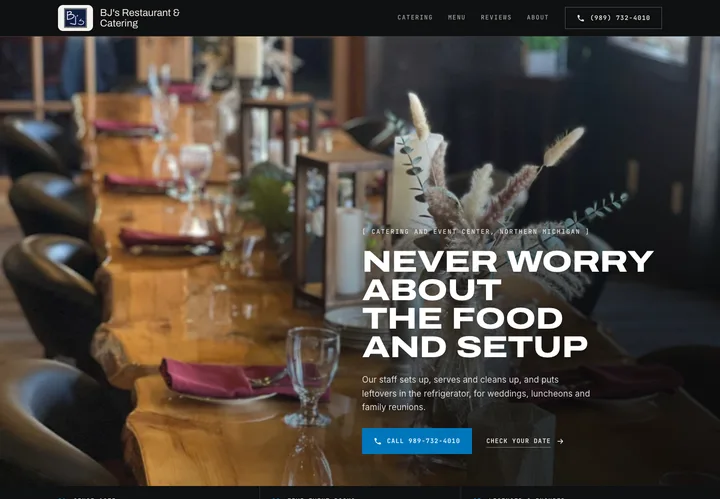
This is the part we cared about most. Most local business websites are not badly written. They are badly laid out. The owner already wrote the important things: how long they've been in business, what they do, where they work, what their customers said about them. So Reelsite keeps those sentences as they were written and puts them in the right place.
When a section needs a line the old site doesn't have, Reelsite writes it from facts already on their site, in the same plain voice, and tags it "extended" so you can check it. It never invents a year, a rating, a price, an award or a review. If the old site doesn't say it, the new site doesn't say it. Reviews are quoted word for word with the name as it appears on the site.
A proven layout
The AI never decides the layout. Every Reelsite page follows the same section order that local business sites use because it works: a clear headline and a call button at the top, then what they do, how it works, what customers say, who they are, where they work, the common questions, and a last call to action with a contact form. Sections only appear when the old site gives them something real to say.
The to-do list
Old websites are full of small problems nobody sees anymore. Reelsite lists the ones it finds, for example a missing phone number in the footer, opening hours that don't appear anywhere, two different founding years on two different pages, or a business name that came through as a category. Fix them before you publish, and use one or two of them in your note to the owner. "Your hours aren't on your website" is a better opening line than "I build websites".
Ready to send
A new website only helps if the owner sees it. So Reelsite gives you three things on the last step.
A private page with the old site next to the new one, made to be sent to the owner. It's hidden from search engines and marked as a concept made for that business.
Reelsite looks for the owner's email address and shows how sure it is: confirmed, catch-all or unconfirmed. Owner emails aren't always available. You may get a general address or no result, so check the business's contact page before you send.
Reelsite writes a short message to go with the before and after, using one or two things from the to-do list. You read it, change it and send it from your own email.
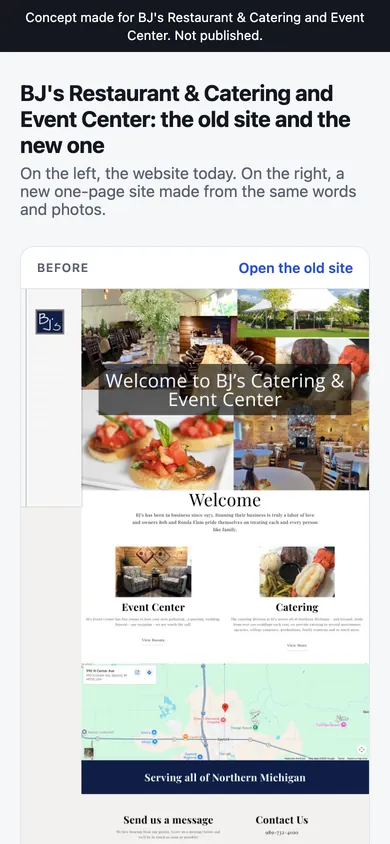
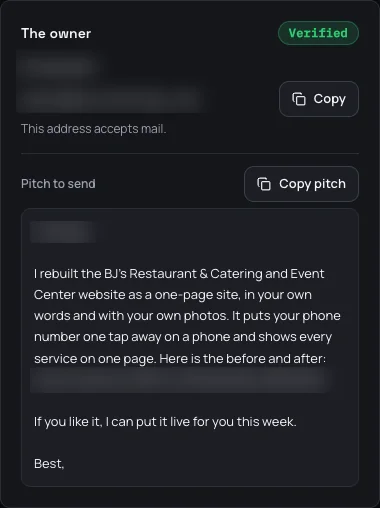
A real before and after page, as the owner sees it: marked as a concept and hidden from search engines. Owner details are blurred here.
When the owner says yes
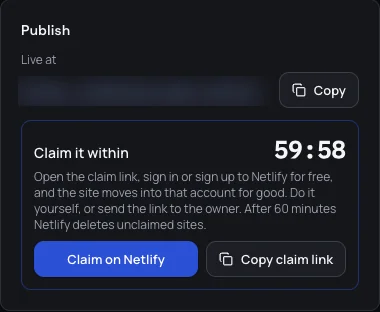
When the owner wants the new site, you can put it online in a few clicks. Reelsite publishes it to Netlify, a well-known website host with a free plan, and gives you a claim link. Open the link within 60 minutes, sign in or create a free Netlify account, and the site moves into that account. You can claim it into your own account or into the owner's, if you are together on a call.
Before you can publish, Reelsite asks you to tick one box: "The owner asked for this". Sites only go live when the business wants them.
If you'd rather host it yourself, download the site as a zip. It's plain, fast files that work on any host, and you can drag the folder onto Netlify's free drop page.
Every site is built for phones first, and the contact form sends messages to the owner by email through Netlify Forms, so there's no server to run and no hosting bill on Netlify's free plan. The Handover Guide, one of your five guides, shows you how to connect the owner's own domain name and set up the form emails, step by step.
Commercial use included

Your first prospect will want to see examples. Build a few sample sites for different trades and put the before and afters on one page you can link. When you write to a landscaper, show a landscaper's before and after. Ask the business before you show their concept publicly, or blur their name and details, and always label it as a concept, not a client site.
If you already run Google profiles, social media or ads for local businesses, you know their services, their customers and the person who pays. Show them a new version of their website from their own words, and offer it alongside the work you already do.
A new site is a one-off job, and most owners don't want to touch it afterwards. That gives you a natural monthly plan: hosting set up in their name, small text and photo changes, and a check that the contact form still works. The pricing guide includes a suggested price sheet and the words to use when an owner asks "how much?".
Suggested prices
Their site rebuilt in their own words, published on their own domain, with the contact form set up and one round of changes.
Small text and photo changes each month, the contact form checked, and the site kept online. Most owners start with the build, and this comes after they've seen the site live.
The build and twelve months of care, paid up front, for owners who want it done and off their mind.
These prices are suggestions, not earnings promises. Change them to fit your market. The sites carry no Reelsite branding, and you can deliver them to your clients. If you own a local business yourself, you can rebuild your own website with Reelsite too.

A note from Bertrand
BertrandMaker of Youzign, dezygn, Reelocal, Reelshop, Reelstory & Reelsite
I'm Bertrand, a software maker from a small village in Belgium. You may know me from Youzign or dezygn. I also sell AI visuals to clients, mostly on Upwork. When I sent proposals the usual way, I sent 63 and got 2 hires. When I started attaching samples I had already made for the client's own product, I got 1 hire from 6.
My Reel apps make those samples for local businesses. Reelocal and Reelstory make videos. Reelsite makes the thing a lot of owners already know they should fix, which is the website. The part I worried about most was the writing. An owner can tell in one second when a website was written by someone who doesn't know the business, so I made sure Reelsite keeps their own words and never makes anything up. Before launch I ran it on eleven local business websites in northern Michigan, from a flooring store to a doughnut shop, and ten of the new sites are on this page.
Feedback about our team, from customers of Youzign.

"The customer service I have received has been excellent."

"Plus customer service & training is top-notch!"

"Been with the guys from the very start and always had superb service."

"Excellent product with continued support and development!"
Five guides included with your purchase
Your purchase includes five downloadable guides covering the work around the website: finding businesses with old sites, writing to the owner, quoting, and handing the site over when they say yes.

01 · Find interested owners
My own cold email method with my real numbers: a tool called Explee finds the business owners and sends short text emails from pre-warmed mailboxes, and you only build the site for the owners who reply. The before and after does the convincing.
The full setup, step by step, with a campaign ready to paste, the daily budget, the message that goes with the before and after, and what to do in your first two weeks.
Included with your purchase
02 · Answering "how much?"
How to price a one-page site build and a small monthly care plan, what each one includes, and how to answer "how much?" after the owner has seen their site.
With a suggested price sheet, the exact replies to the usual objections, and the path from one free concept to a client who pays you every month.
Included with your purchase
03 · Knowing who to write to
Where to find local businesses with old websites in any town: chamber of commerce directories, Google Maps and the other lists nobody thinks of. Then the signs of an old site you can spot in ten seconds, and the ones that make the best first note.
With a simple scoring sheet so you spend your credits on the businesses with the most to gain.
Included with your purchase
04 · When the owner says yes
Everything after "yes": claiming the site on Netlify, moving it into the owner's account, connecting their own domain name, making sure the contact form emails reach them, and what to tell the owner so they don't call you every week.
Step by step, with the exact settings to look for.
Included with your purchase
05 · The paperwork
A one-page website proposal, a simple website agreement with the care plan clauses, an invoice, the questions to ask before you publish, and a handover sheet for the owner. Written for selling one-page sites and care plans to local businesses.
Copy them, fill in the brackets and send them.
Included with your purchase
All five guides are included with your purchase. Download them from your account and use the scripts, price sheet and checklists as you build your website service.
One shared balance
Each sample lets you show a different business what its website could be. Reelsite does the reading, the headlines, the copy, the images and the design, so you can spend your time choosing businesses, checking the facts and talking to the owners.
You get lifetime access to Reelsite and 500 credits that do not expire. Reading an old site is free (up to 20 sites a day). Building a site uses 3 credits, and that covers the six headline options, the copy, the photo picks, up to 3 generated images and the finished page. If you own another Reel app, it's the same login and one shared credit balance.
| Action | Credits |
|---|---|
| Read an old site | Free (up to 20 a day) |
| Build a new site | 3 |
| New headline options, or one section written again | 1 |
| One more generated image | 1 |
| Owner email lookup | 1 |
| Before and after page, zip download, publish to Netlify | Free |
With 500 credits you can build up to 166 sites, or fewer if you also look up owner emails and ask for extra images. Your own edits to the text are always free. When you run out, you can buy more credits in your account: 200 credits for $39, 500 for $67 or 1,000 for $119.
Build a few sites and send them to the owners who asked to see one. If Reelsite isn't for you, email support@youzign.com within 30 days of purchase and we will refund every cent.
You can also ask for a refund before building or sending anything. The guarantee has no usage requirement. One email is enough.
Launch price · Lifetime access
Your OFFER discount is applied at checkout.
$49 until Friday 30 October at 11:59 PM ET. After that, Reelsite is $67.
Price goes to $67 in
Secure payment30-day money-back guarantee
30-day refund, no usage needed. One email is enough.
Checkout could not be opened. Please try again.
Everything above works on its own. You can add Bad Website Finder later if you want help finding businesses.
Before you get started
Yes. You paste a link, pick a headline, check the copy, the images and the look, and Reelsite builds the page. There is no code to write and no layout to design. The guides help you find businesses and write to them before you have any client work to show.
Yes, as long as it stays a private concept until they say yes. The new site lives on a before and after page that is hidden from search engines and marked as a concept made for that business, and you only send it to the owner. Their words and photos belong to them, so don't publish the site, put it in a public portfolio or post it anywhere until the owner agrees. Reelsite won't publish a site to Netlify until you tick "The owner asked for this".
That's the idea. Most of the sentences on the new site are theirs, kept as they wrote them, and their reviews are quoted word for word. The new lines Reelsite adds are built from facts on their site and tagged in the editor, so you can check every one.
It is built not to. It never invents a year, a price, a rating, an award or a review, and a section with nothing real behind it is left out. AI can still make mistakes, so read the page and the to-do list before you send it, because you are the one sending it.
Reelsite uses their real photos first and cleans up the small or blurry ones. Where a section has no photo at all, it generates one and labels it "generated" in the editor. You can swap any image for another of their photos or upload a new one. Generated photos are illustrations, so replace them with real ones before the site goes live if the owner has any.
Every design is built for phones first. You can check the site in phone view and desktop view before you send it.
Yes, once the site is on Netlify. The form uses Netlify Forms, so messages reach the owner by email with no server to run. The Handover Guide shows you how to set the email address the messages go to.
Netlify has a free plan, and a one-page site like this usually fits inside it. Netlify sets its own limits and can change its plans, so check their pricing page if a site gets a lot of visitors or form messages. Reelsite doesn't charge anything to publish.
Yes. Once the site is claimed on Netlify, you connect their domain in Netlify's domain settings and update two records where the domain is registered. The Handover Guide walks you through it.
When you publish, Netlify gives the new site a temporary home and a claim link. Open the link within 60 minutes and sign in, or create a free Netlify account, and the site moves into that account for good. If you miss it, publish again or use the zip download.
Not in this version. Reelsite builds one-page sites, which is what most small local businesses need and the easiest thing for an owner to say yes to.
Make your changes in Reelsite and publish again, or download the new zip and drag it onto the site in Netlify. Editing the live site directly isn't part of this version.
In the US, sending a business a one-to-one email about a relevant service is allowed under the CAN-SPAM rules, as long as you are honest about who you are, your subject line isn't misleading, you include your postal address and a clear way to opt out, and you stop when someone asks you to. Other countries have their own rules, so check the ones that apply where you send. Reelsite doesn't send email. You write to each owner yourself, one at a time.
Thank them and move on. With the two-step method you only build a site after an owner says "show me", so a "no" to your first note costs you nothing but the note. If they say no after seeing their site, don't publish it or show it anywhere.
You can sell the sites you build: the build itself, a monthly care plan, or whatever you agree with a client. Commercial use is included and the sites carry no Reelsite branding. Get the business's agreement before you publish anything.
Yes. $49 during the launch, then $67. It buys lifetime access, 500 credits that don't expire and all five guides. You can buy more credits when you need them, and keeping your access never requires a subscription.
Building a site uses 3 credits, so 500 credits build up to 166 sites. Owner email lookups, new headline options, a section written again and extra generated images use 1 credit each. Reading an old site, the before and after page, the zip and publishing are free.
Reelsite is a separate app with its own launch. You use the same login, and your credits work in every Reel app you own.
It looks for the owner's email for each site and writes a short pitch. You review it and send it yourself. Reelsite doesn't send email or handle replies. Bad Website Finder, an optional upgrade, can search a city and a type of business for sites that look old, aren't built for phones or aren't secure.
Charges appear on your statement as Wosho LLC, the company that sells the Reel apps.
There is no free trial. Look at the before and afters on this page to judge the output. Your purchase is covered by the 30-day money-back guarantee.
Email support@youzign.com within 30 days of your purchase and ask for a refund. You don't need to have used it.